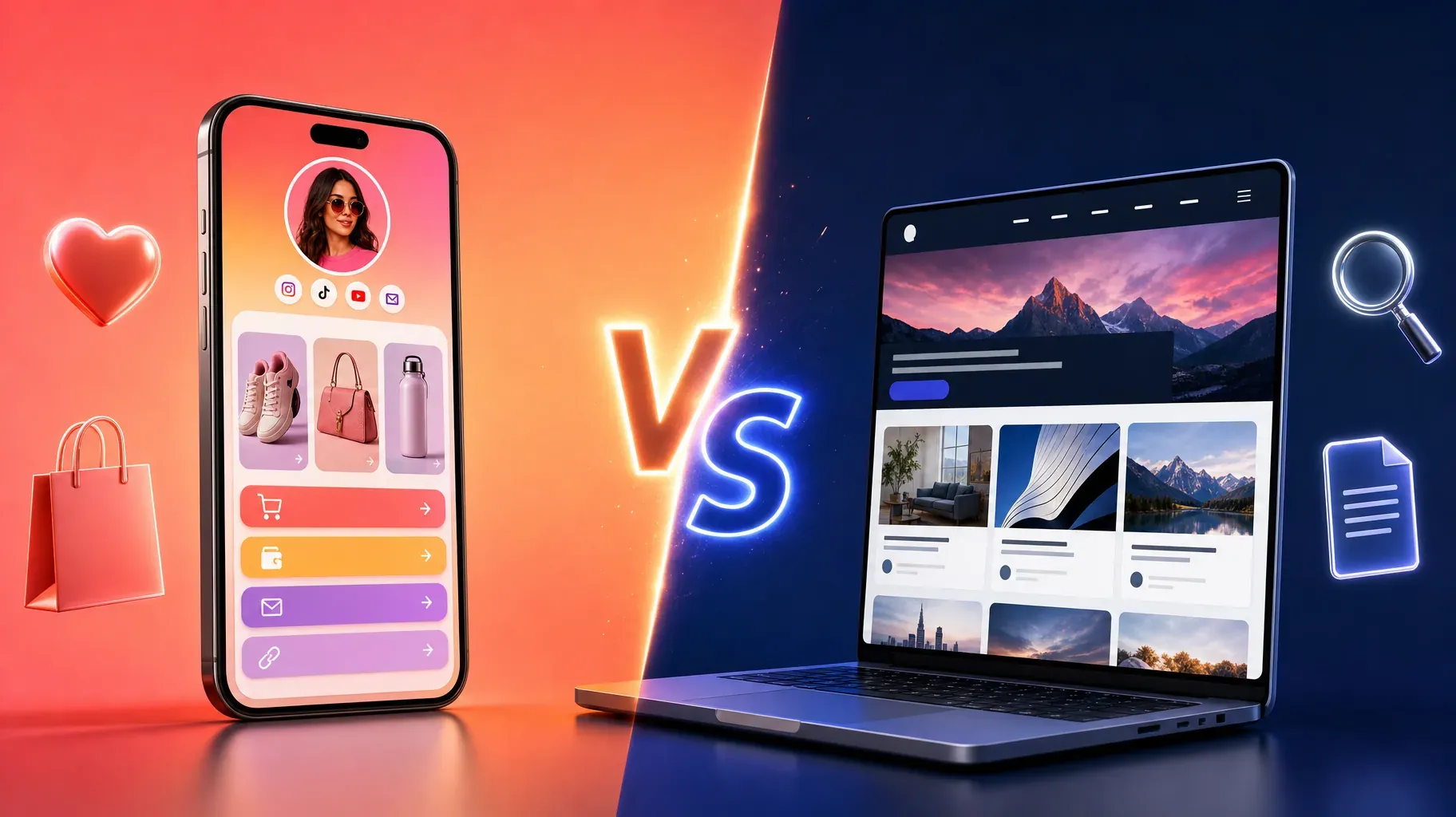
If you sell online as a creator, coach, or small brand, you will eventually face this question: should you build a website, or is a link-in-bio page enough? Both put your offer on the internet, both can take payments, and both can live behind a single link. But they are built for different jobs, and choosing the wrong one can cost you time, money, and sales.
A link-in-bio page is designed for people who already found you on social media and want a fast way to buy, book, or subscribe. A website is designed to be discovered, to hold lots of content, and to grow through search engines over time. Many businesses end up using both, but the right starting point depends on where your audience comes from and what you sell.
This guide compares link in bio vs website in plain terms: what each one is, the real differences, the pros and cons, what they cost, how they affect SEO, and a simple decision framework to choose the right setup for your business today.
What is a link-in-bio page?
A link-in-bio page is a single, mobile-first page that you link from your social profiles, such as Instagram, TikTok, YouTube, or X. It exists because most social platforms give you only one clickable link, so that link needs to lead somewhere that holds everything.
A simple link-in-bio page is just a list of buttons. A modern link-in-bio storefront goes further. It can show your products with images and prices, take payments, sell digital downloads, accept bookings, collect email addresses, and feature your latest video or post, all on one page that loads quickly on a phone.
Its strength is focus. Visitors arrive from a post they just watched, and the page gives them a short, clear path to act.
What is a website?
A website is a collection of pages on your own domain, such as yourbrand.com. It can include a home page, product pages, a blog, an about page, a contact page, a help center, and anything else your business needs.
Websites are built with website builders, e-commerce platforms, or custom code. They offer more space, more structure, and more control over design and content. Most importantly, they are built to be found through search engines, so people who have never heard of you can discover you by searching for a problem you solve.
Its strength is depth. A website can explain, educate, rank on Google, and support complex customer journeys.
Link in bio vs website, the key differences
- Purpose. A link-in-bio page converts social traffic quickly. A website attracts, informs, and converts visitors from many sources, including search.
- Setup time. A link-in-bio page can be live in an afternoon. A website usually takes days or weeks, depending on its size.
- Cost. A link-in-bio page is often free or a simple monthly subscription. A website adds domain, hosting or platform fees, themes, apps, and sometimes design or development costs.
- Maintenance. A link-in-bio page needs little upkeep. A website needs updates, content, performance checks, and security care.
- Mobile experience. A link-in-bio page is designed for phones first. A website can be excellent on mobile, but it depends on the theme and setup.
- SEO. A link-in-bio page has limited search potential because it is a single page. A website can rank for many keywords through many pages and articles.
- Content. A link-in-bio page is short by design. A website can hold blogs, guides, documentation, and detailed product information.
- Customer journey. A link-in-bio page suits simple journeys: see, tap, buy. A website handles more complex journeys: research, compare, read reviews, then buy.
Pros and cons of a link-in-bio page
Pros:
- Fast to launch. You can build and publish a page in less than an hour.
- Built for social traffic. The layout matches what visitors expect after tapping a link on their phone.
- Simple to update. Change your featured offer in seconds when you publish new content.
- Low cost. Many tools have free plans, and paid plans are usually predictable.
- Everything in one place. Products, bookings, links, and signups live on one page, so visitors do not bounce between sites.
- Fewer technical decisions. No hosting, plugins, or updates to manage.
Cons:
- Limited SEO. A single page rarely ranks for many search terms.
- Less room for content. Long explanations, blogs, and large catalogs do not fit well.
- Less design control. You work within the tool's layouts and options.
- Depends on social traffic. If your social reach drops, so does your traffic.
Pros and cons of a website
Pros:
- Search visibility. Many pages and articles can rank on Google and bring visitors for free over time.
- Full control. Your domain, your design, your structure.
- Room to grow. Add a blog, a help center, a large catalog, or new product lines.
- Credibility. A professional website reassures larger clients, partners, and press.
- Owned audience channel. Traffic from search does not depend on a social algorithm.
Cons:
- Slower to build. Planning, design, and content take time.
- Higher and less predictable costs. Themes, apps, plugins, and developers add up.
- More maintenance. Updates, speed optimization, and security need attention.
- More decisions. Hosting, platform, navigation, and page structure can overwhelm small businesses.
- Not always optimized for social visitors. A visitor from a Reel may land on a generic home page and get lost.
Quick decision checklist
Answer these questions honestly. Each "yes" points you toward one option.
A link-in-bio page is probably right if:
- Most of your customers find you on social media.
- You sell fewer than ten products, services, or programs.
- You want to launch this week, not next month.
- You do not have time to maintain a website.
- Your main goal is converting your existing audience.
A website is probably right if:
- Your customers search for what you offer on Google.
- You plan to publish articles, guides, or tutorials regularly.
- You sell a large catalog that needs categories and filters.
- Your customers need detailed information before buying.
- You work with larger clients who expect a full company website.
Both are probably right if you answered yes to several questions in each list. In that case, start with the one that matches your biggest source of customers today, and add the other when you can.

1. Start from where your audience comes from
The single most important question is how people find you today.
Mostly from social media. If your audience discovers you through Instagram, TikTok, YouTube, or podcasts, they already know who you are when they click. They need a short path to act, not a big website to explore. A link-in-bio page usually converts this warm traffic better.
Mostly from search. If people find businesses like yours by searching on Google, such as "wedding photographer in Lyon" or "best running shoes for flat feet," you need pages that can rank. That requires a website.
From both. If you have a strong social presence and want to grow through search, you will likely end up with both, each doing its own job.
Look at your analytics, or simply ask your last ten customers how they found you. The answer points to your starting point.
2. Match the tool to what you sell
Your offer also shapes the right choice.
- Digital products, coaching, and bookings. A link-in-bio storefront handles these very well: a few offers, clear prices, direct checkout.
- A small product range. A link-in-bio page can sell a handful of products beautifully, especially when they are promoted through content.
- A large catalog. Hundreds of products need filters, categories, and search, which a full website or online store handles better.
- High-consideration purchases. Expensive or complex products, such as furniture, B2B services, or software, often require detailed pages, comparisons, and reviews.
- Local businesses. Restaurants, salons, and clinics benefit from a website for local search, and a link-in-bio page for social profiles.
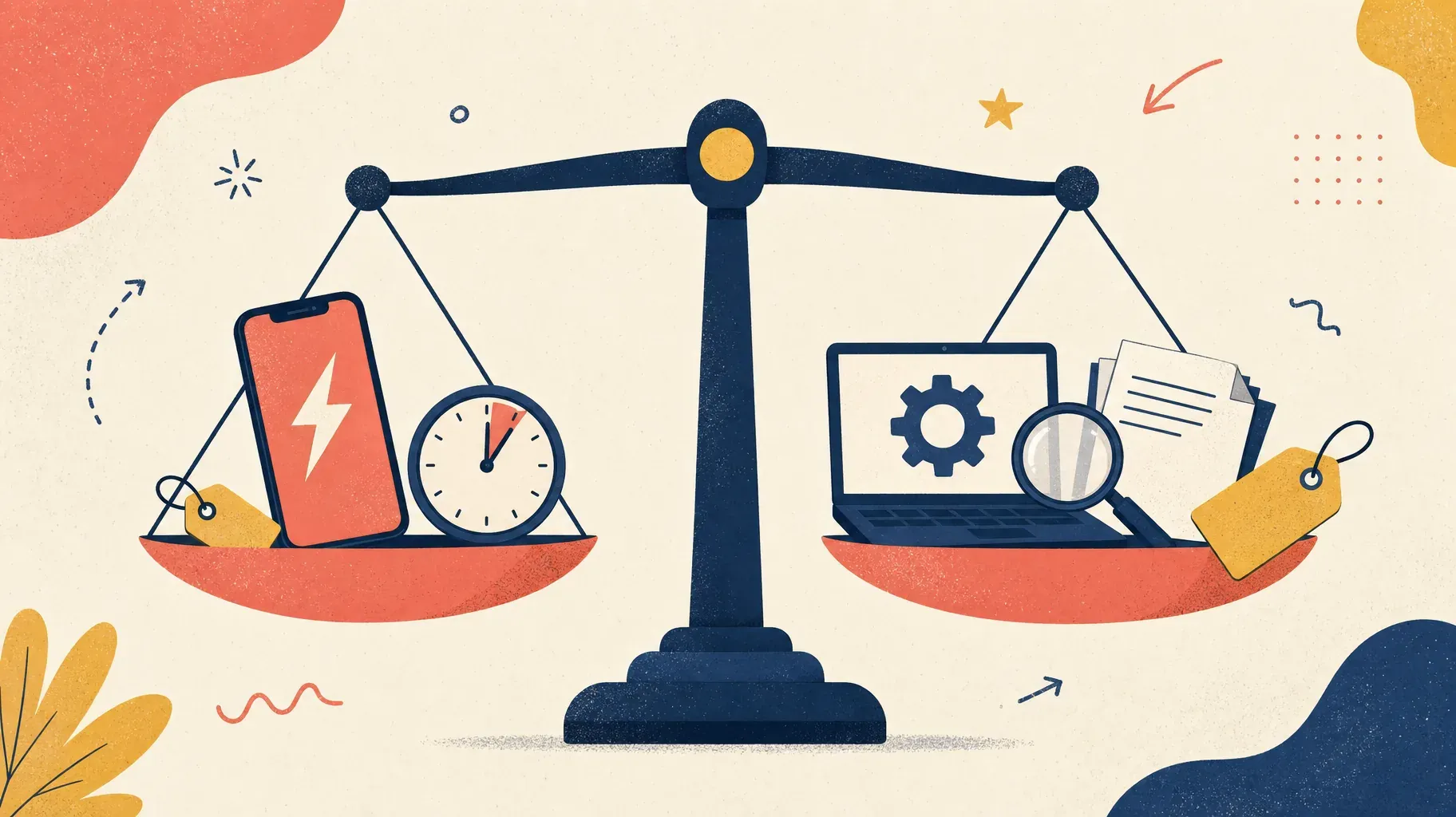
3. Compare the real costs
Cost is not only the monthly price. Consider time and maintenance too.
Link-in-bio page:
- A free plan or a monthly subscription.
- Setup in hours.
- Very little maintenance.
- Transaction fees, depending on the tool. Some charge a percentage on every sale, others charge none.
Website:
- Domain name, renewed yearly.
- Hosting or platform subscription.
- Theme or template, sometimes paid.
- Apps and plugins for features like bookings, reviews, or email capture.
- Design or development help if you do not build it yourself.
- Ongoing time for content, updates, and fixes.
For a creator or a small business starting out, a link-in-bio storefront often delivers most of the results for a fraction of the cost and effort. As revenue grows, investing in a website becomes easier to justify.
Watch transaction fees. On a busy month, a small percentage per order adds up quickly. Choose a tool that keeps your margin, and read the pricing details before you commit.
4. Understand the SEO trade-off
SEO is the biggest reason to build a website, so it is worth understanding what you gain and what you give up.
What a website brings. Each page can target a specific search: a product, a service, a location, or a question your customers ask. A blog lets you publish helpful articles that attract visitors months or years after they are written. Over time, this can become a steady, free source of traffic.
What a link-in-bio page can still do. A link-in-bio page can appear when people search for your name or brand, especially if you use a clear title, a description, and your own domain. It will not rank for many broad keywords, but it does not need to if your traffic comes from social media.
SEO takes time. Even a well-built website usually needs months of consistent content before search traffic becomes meaningful. If you need sales this month, social traffic and a link-in-bio page will get you there faster.
Help search engines either way. Use a clear page title and description, connect a custom domain when you can, and link to your page from your profiles and other sites.

5. Consider the hybrid setup
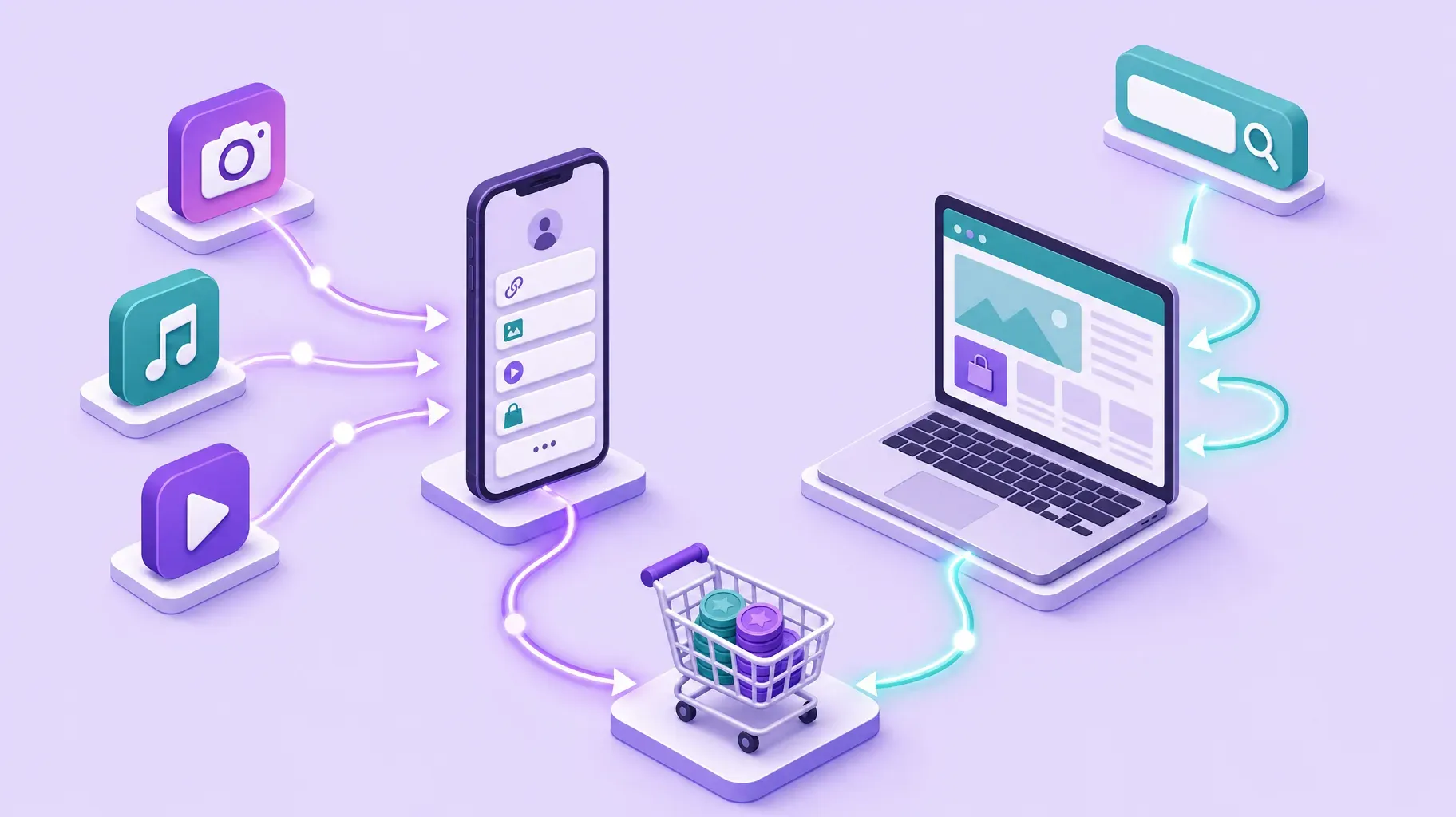
For many growing businesses, the best answer is not either one, but both working together.
How it works:
- Your link-in-bio page sits in all your social bios. It features your current offer, best sellers, booking button, and email signup.
- Your website holds your blog, detailed product pages, about page, and everything built for search.
- The two link to each other. Your link-in-bio page includes a button to your website or blog, and your website links to your social profiles.
Why it works: Social visitors get a fast, focused path to buy. Search visitors get depth and detail. Neither experience compromises the other.
Keep one catalog. If you sell products in both places, use a platform that shares one catalog, so prices, images, and stock stay in sync automatically instead of being updated twice.
6. Use a custom domain for credibility
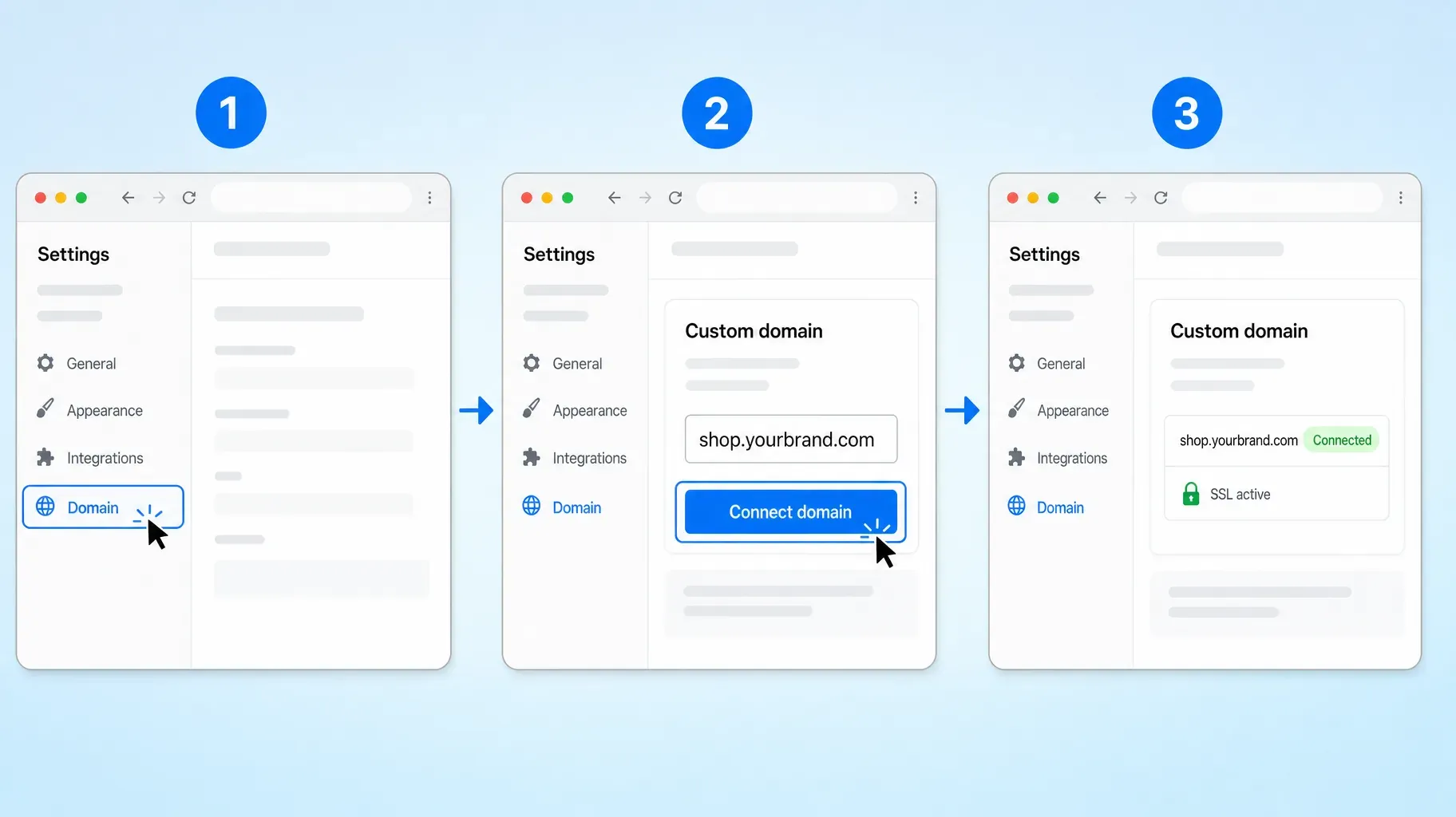
Whichever you choose, a custom domain makes your presence look more professional and easier to remember.
- Buy a domain from a registrar, ideally your brand name.
- In your link-in-bio or website tool, open the domain settings.
- Enter your domain or a subdomain, such as shop.yourbrand.com.
- Follow the instructions to update your DNS records.
- Wait for the connection and the security certificate to activate.
A link such as shop.yourbrand.com in your bio looks more trustworthy than a long address on someone else's domain, and it stays yours if you ever change tools.
7. Plan to grow without rebuilding
Your first choice does not have to be permanent. Plan a path that grows with you.
Stage 1: launch. Start with a link-in-bio storefront. Sell your first products, book your first clients, and build an email list.
Stage 2: validate. Track which offers sell, which content drives traffic, and which questions customers ask repeatedly.
Stage 3: expand. Add a website or a full online store when you need search traffic, a larger catalog, or more content. Use what you learned to decide which pages to build first.
Stage 4: connect. Keep your link-in-bio page for social traffic, and connect it to your website and shared catalog.
Choose tools that let you move between stages without starting over. Your products, customers, and email list should come with you.
What to put on each
Once you know which setup you need, focus on the elements that make each one work.
On your link-in-bio page:
- A clear photo or logo and a one-line description.
- Your featured offer, matching your latest content.
- Two to four evergreen offers, such as best sellers or services.
- A booking or contact button if you sell your time.
- An email signup with a useful incentive.
- Links to your other platforms and, if you have one, your website.
On your website:
- A home page that explains what you do and for whom.
- Dedicated pages for each main product, service, or location.
- An about page with your story and proof, such as testimonials or press.
- A blog or resources section targeting the questions your customers search for.
- Clear contact options and policies such as shipping, returns, and privacy.
- Links to your social profiles and your link-in-bio page for campaigns.
Real-world examples
A fitness coach sells three online programs and one-to-one coaching. Almost all clients come from Instagram and TikTok. A link-in-bio storefront with programs, a booking button, and a free workout for email signups covers everything she needs.
A ceramic artist sells limited batches announced on Instagram. A link-in-bio page with the current collection and a waitlist sells out each drop without a full website.
A skincare brand has 80 products and wants to rank for searches like "fragrance-free moisturizer." It runs a full online store with a blog, and uses a link-in-bio page on social media to feature new launches.
A wedding photographer gets clients from both Instagram and local search. She keeps a website with galleries, pricing, and articles about local venues, and a link-in-bio page with her latest work and an inquiry form.
A software consultant relies on LinkedIn and referrals. A link-in-bio page with services, case studies, and a booking link is enough to start, with a website planned once he publishes regular content.
Mistakes to avoid
Building a big website before you have customers. Months of work on pages nobody visits delays your first sale. Start simple and expand based on real demand.
Sending social visitors to a generic home page. People who tap your bio link after a post expect to see what the post promised. Send them to a focused page.
Ignoring SEO when your business depends on search. If customers search for what you offer, a link-in-bio page alone will leave traffic on the table.
Managing the same products in several tools. Duplicate catalogs lead to wrong prices and stock errors. Use one catalog wherever possible.
Forgetting to own your audience. Whichever you choose, collect email addresses so you are not dependent on a single platform.
Overlooking fees. Compare transaction fees and add-on costs, not just the headline subscription price.
Frequently asked questions
Is a link-in-bio page enough for a business?
For many creators, coaches, and small brands whose customers come from social media, yes. A link-in-bio storefront can sell products, take bookings, and collect emails. You may add a website later if you need search traffic or more content.
Do I need a website if I have a link-in-bio page?
Not necessarily. You need a website mainly if you want to rank on Google, publish lots of content, sell a large catalog, or support complex purchases.
Is a link-in-bio page good for SEO?
It can help people find you when they search for your name, especially with a clear title and a custom domain, but it will not rank for many broad keywords like a full website with many pages.
Which is cheaper, a link-in-bio page or a website?
A link-in-bio page is usually cheaper and faster to launch. Websites add domain, hosting, apps, and maintenance costs over time.
Can I use both a link-in-bio page and a website?
Yes, and many businesses do. Use the link-in-bio page for social traffic and the website for search and content, with links between them and a shared product catalog.
Can I switch from a link-in-bio page to a website later?
Yes. Start with a link-in-bio page, then add a website when your business needs it. Choose tools that let you keep your products, customers, and email list.
Does a link-in-bio page work for B2B businesses?
It can. Consultants, agencies, and freelancers often use a link-in-bio page as a compact portfolio with services, case studies, and a booking link. Larger B2B companies usually need a full website as well, because buyers research in depth before contacting them.
How long does it take to build each one?
A link-in-bio page can be ready in under an hour. A simple website usually takes a few days, and a larger site with many pages and a blog can take several weeks.
Choose the setup that fits your business today
There is no single winner in the link in bio vs website debate. A link-in-bio page wins when your audience comes from social media and you want to sell quickly with little effort. A website wins when you need search visibility, depth, and room to grow. Many businesses start with the first and add the second when the time is right.
With Roctify, you do not have to choose one or rebuild later. Start with a link-in-bio storefront, and add a full online store on the same catalog when you are ready, with 0% transaction fees on every plan. Create your Roctify page and start selling today.