Twitch Subscriber Count Calculator
Enter your subs by tier and see what they pay you each month and each year. The calculator applies the right revenue share from your Plus Points, counts Prime subs and works with your local prices.
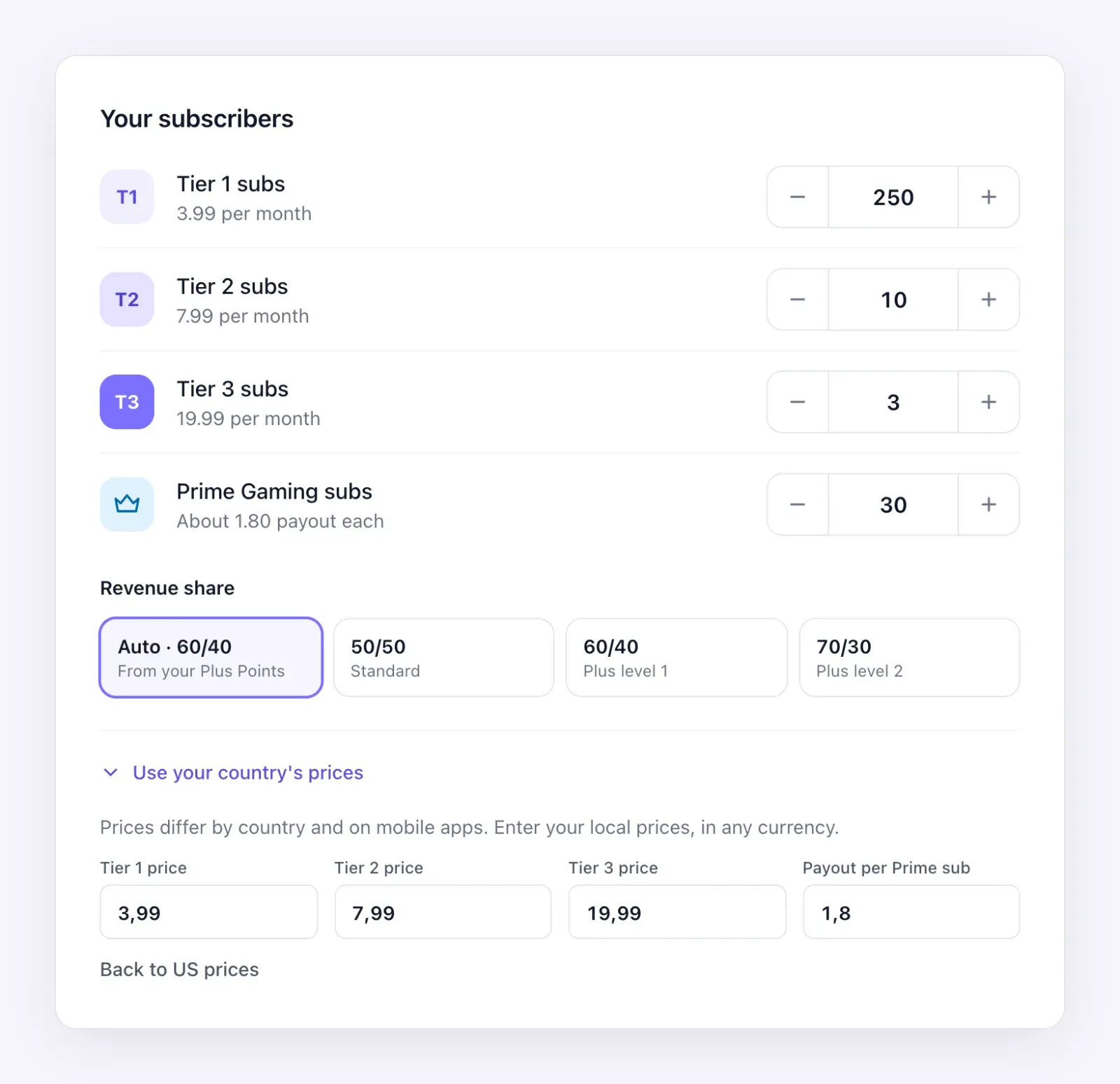
Your subscribers
$5.99 per month
$9.99 per month
$24.99 per month
About $2.25 payout each
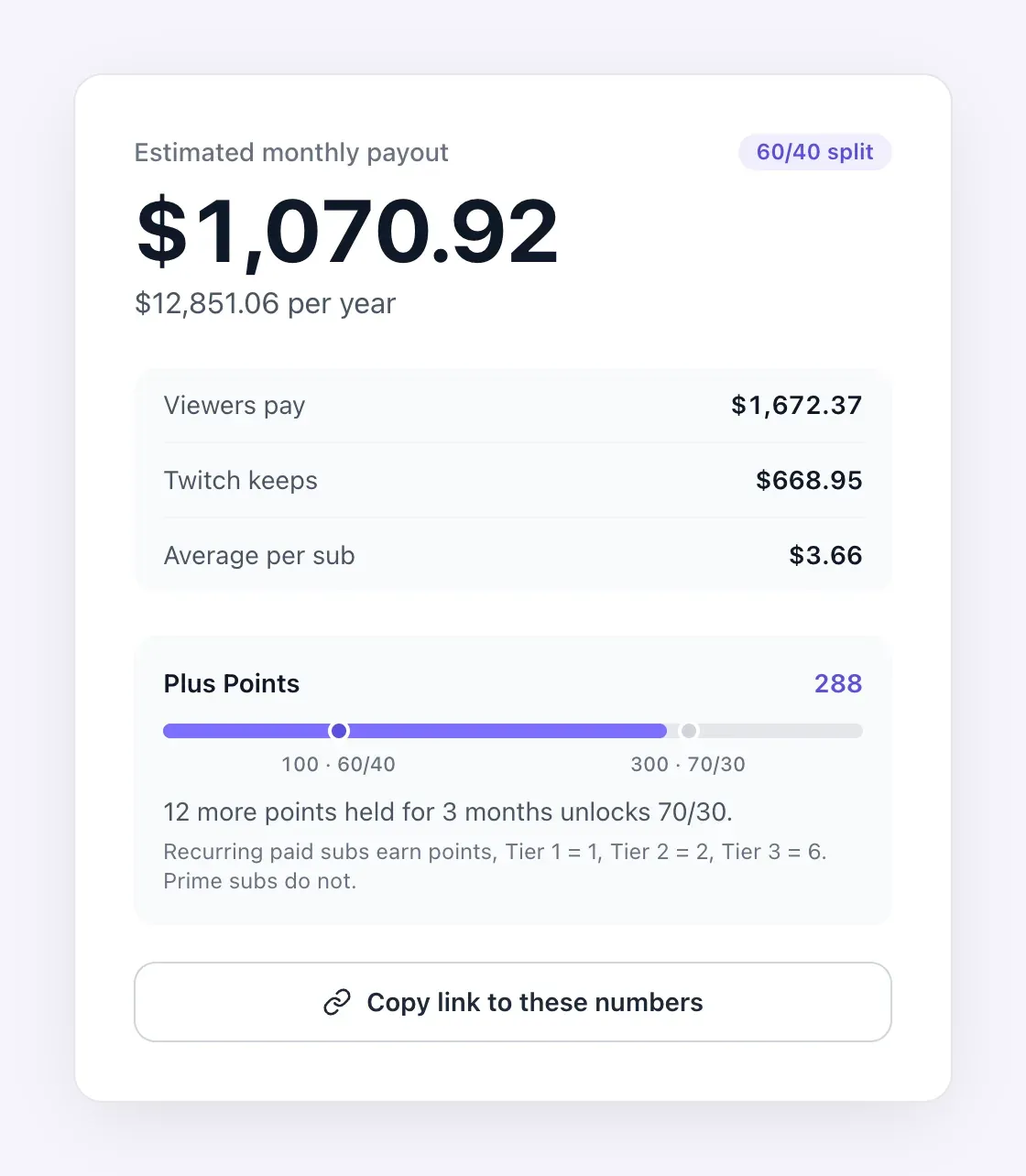
Estimated monthly payout
60/40 split$464.36
$5,572.30 per year
- Viewers pay
- $698.93
- Twitch keeps
- $279.57
- Average per sub
- $3.66
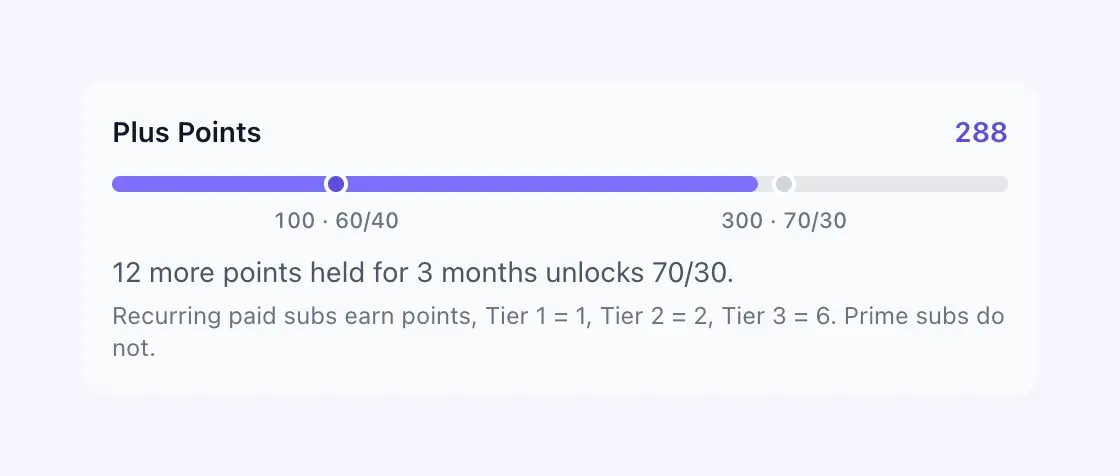
Plus Points
122
178 more points held for 3 months unlocks 70/30.
Recurring paid subs earn points, Tier 1 = 1, Tier 2 = 2, Tier 3 = 6. Prime subs do not.
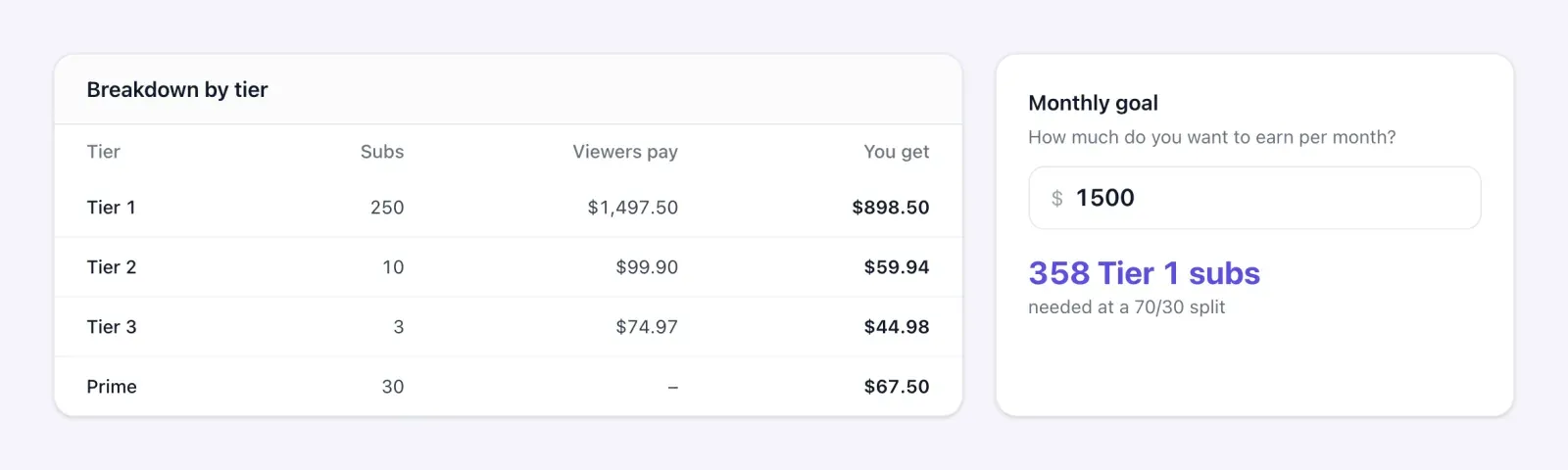
Breakdown by tier
| Tier | Subs | Viewers pay | You get |
|---|---|---|---|
| Tier 1 | 100 | $599.00 | $359.40 |
| Tier 2 | 5 | $49.95 | $29.97 |
| Tier 3 | 2 | $49.98 | $29.99 |
| Prime | 20 | – | $45.00 |
Monthly goal
279 Tier 1 subs
needed at a 60/40 split
Beyond subs
Sell to your community too
Merch, presets, coaching or a Discord pass, all from one link in your Twitch bio.
Estimate based on list prices. Twitch shares net revenue, after sales taxes and app store fees, so real payouts are usually a little lower.
Based on Twitch US web prices
- Twitch
- Tier 1 $5.99
- Tier 2 $9.99
- Tier 3 $24.99
How to calculate your Twitch sub earnings
Three steps, a few seconds, no account.
- 1
Enter your subscriber count
Type how many Tier 1, Tier 2, Tier 3 and Prime Gaming subs you have. You find them in your Creator Dashboard analytics.
- 2
Pick your revenue share
Leave it on Auto to use the split your Plus Points unlock, or choose 50/50, 60/40 or 70/30 yourself.
- 3
Read your payout
See your monthly and yearly payout, what Twitch keeps and the subs you need to reach your income goal.
Live estimate
See what your subs pay you, instantly
Every number updates as you type. The calculator shows your estimated monthly payout, your yearly total, what viewers pay, what Twitch keeps and your average earnings per sub.
- Monthly and yearly payout in one view
- Gross revenue and Twitch share side by side
- A link you can copy to share your numbers
Plus Program
Know which split your subs unlock
Twitch gives a 60/40 split from 100 Plus Points and 70/30 from 300, when you hold them for three months. The calculator counts your points from your tiers and tells you how far you are from the next level.
- Tier 1 = 1 point, Tier 2 = 2, Tier 3 = 6
- Automatic 50/50, 60/40 or 70/30 split
- Points missing to reach the next level
Breakdown and goal
See each tier, then plan your next goal
A clear table shows what each tier and your Prime subs bring in. Set a monthly income goal and the calculator tells you how many Tier 1 subs you need to reach it, counting the better split those subs unlock.
- Gross and payout for every tier
- Prime Gaming subs at their fixed rate
- Subs needed for your monthly goal
Local prices
Use the prices of your country
Twitch prices subs differently in each country and on mobile apps. Switch to your local prices and the Prime payout of your region to get an estimate that matches your real audience.
- Edit Tier 1, Tier 2 and Tier 3 prices
- Set the Prime Gaming payout for your region
- Back to US prices in one click
How much are your Twitch subs worth?
Enter your Tier 1 subscriber count and see your monthly payout in a second.
How much do Twitch subs pay?
What a streamer earns from Tier 1 subs at each revenue share, and what one sub of each tier pays out, at US web prices.
| Tier 1 subs | Viewers pay | 50/50 split | 60/40 split | 70/30 split |
|---|---|---|---|---|
| 10 | $59.90 | $29.95 | $35.94 | $41.93 |
| 50 | $299.50 | $149.75 | $179.70 | $209.65 |
| 100 | $599.00 | $299.50 | $359.40 | $419.30 |
| 250 | $1,497.50 | $748.75 | $898.50 | $1,048.25 |
| 500 | $2,995.00 | $1,497.50 | $1,797.00 | $2,096.50 |
| 1,000 | $5,990.00 | $2,995.00 | $3,594.00 | $4,193.00 |
| 2,500 | $14,975.00 | $7,487.50 | $8,985.00 | $10,482.50 |
| 5,000 | $29,950.00 | $14,975.00 | $17,970.00 | $20,965.00 |
| 10,000 | $59,900.00 | $29,950.00 | $35,940.00 | $41,930.00 |
| Tier | Price per month | 50/50 split | 60/40 split | 70/30 split |
|---|---|---|---|---|
| Tier 1 | $5.99 | $3.00 | $3.59 | $4.19 |
| Tier 2 | $9.99 | $5.00 | $5.99 | $6.99 |
| Tier 3 | $24.99 | $12.50 | $14.99 | $17.49 |
Monthly amounts at the US web price of a Tier 1 sub, before taxes and fees.
Who is the Twitch sub calculator for?
Anyone who needs a fast, realistic number before making a decision about a channel.
Affiliates
See what your first subs are worth and how close you are to the 60/40 split of the Plus Program.
Partners and full-time streamers
Plan your monthly income, set sub goals for your stream and check what 70/30 would change.
Managers and agencies
Estimate the subscription income of a channel before a deal, a contract or a sponsorship pitch.
Brands and sponsors
Understand how much a streamer earns from subs so your sponsorship offer makes sense for both sides.

Growth tips
How to grow your Twitch subscriber count
More subs come from more reasons to subscribe and more people who see them. These habits work at every size.
- 1
Stream on a fixed schedule
Viewers subscribe to channels they can count on. Pick days and times you can keep, show them on your profile and stick to them.
- 2
Give subs real perks
Custom emotes, sub badges, sub-only chats or streams and shout-outs make a sub feel like joining a club, more than a donation.
- 3
Set visible sub goals
A goal on screen, like a new emote or a special stream at 100 subs, gives your community a shared reason to subscribe now.
- 4
Thank every sub live
Say the name, react, play an alert. People notice how you treat subs, and gift subs often follow a warm thank you.
- 5
Bring new viewers from other platforms
Cut clips into TikToks, Shorts and Reels with your Twitch handle. Most new subs first discover a streamer off Twitch.
- 6
Keep the community alive off stream
A Discord, a newsletter and one link in bio with your schedule, merch and socials keep fans close between streams.
Earn beyond subs
Turn your viewers into customers too
Subs are only one part of a streamer income. With Roctify, your Twitch bio links to one page where fans find your schedule, your socials and your products, and buy without leaving it.
- A free link in bio page for your channel
- Sell merch, presets, coaching or digital downloads
- See which platform sends the most fans and sales

Twitch sub calculator questions
How sub revenue works on Twitch and how the calculator estimates it.
Ready to earn more than subs?
Sell everywhere with Roctify. Link in bio, online store and email marketing, all in one place.
No credit card required