Every time you post on Instagram, you probably wonder who is watching. Instagram gives you some answers and keeps others hidden. You can see exactly who viewed your Story, but not who watched your Reel or visited your profile. Knowing what's visible, for how long and what the numbers really mean helps you understand your audience and use it better.
This guide explains how viewers on Instagram work and how to see them for every format, from Stories and Highlights to Reels, posts, Lives and your profile. You will learn how long Story viewers stay visible, how the viewer list is ordered, whether people can watch anonymously, how to control who sees your content, how to read your view counts in Insights and how to turn viewers into visitors and customers.
What Instagram shows you about your viewers
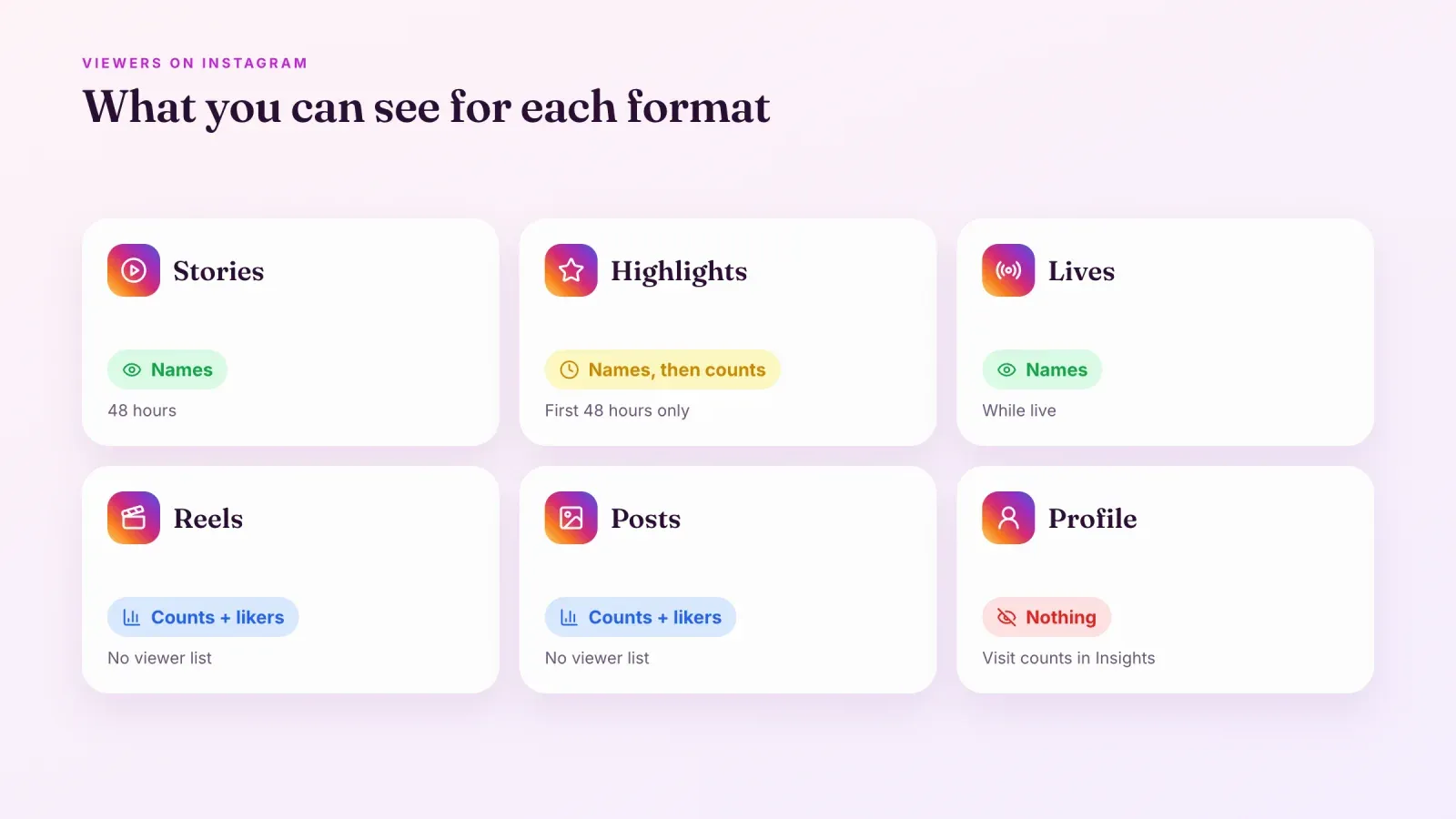
Here's the quick answer for each format.
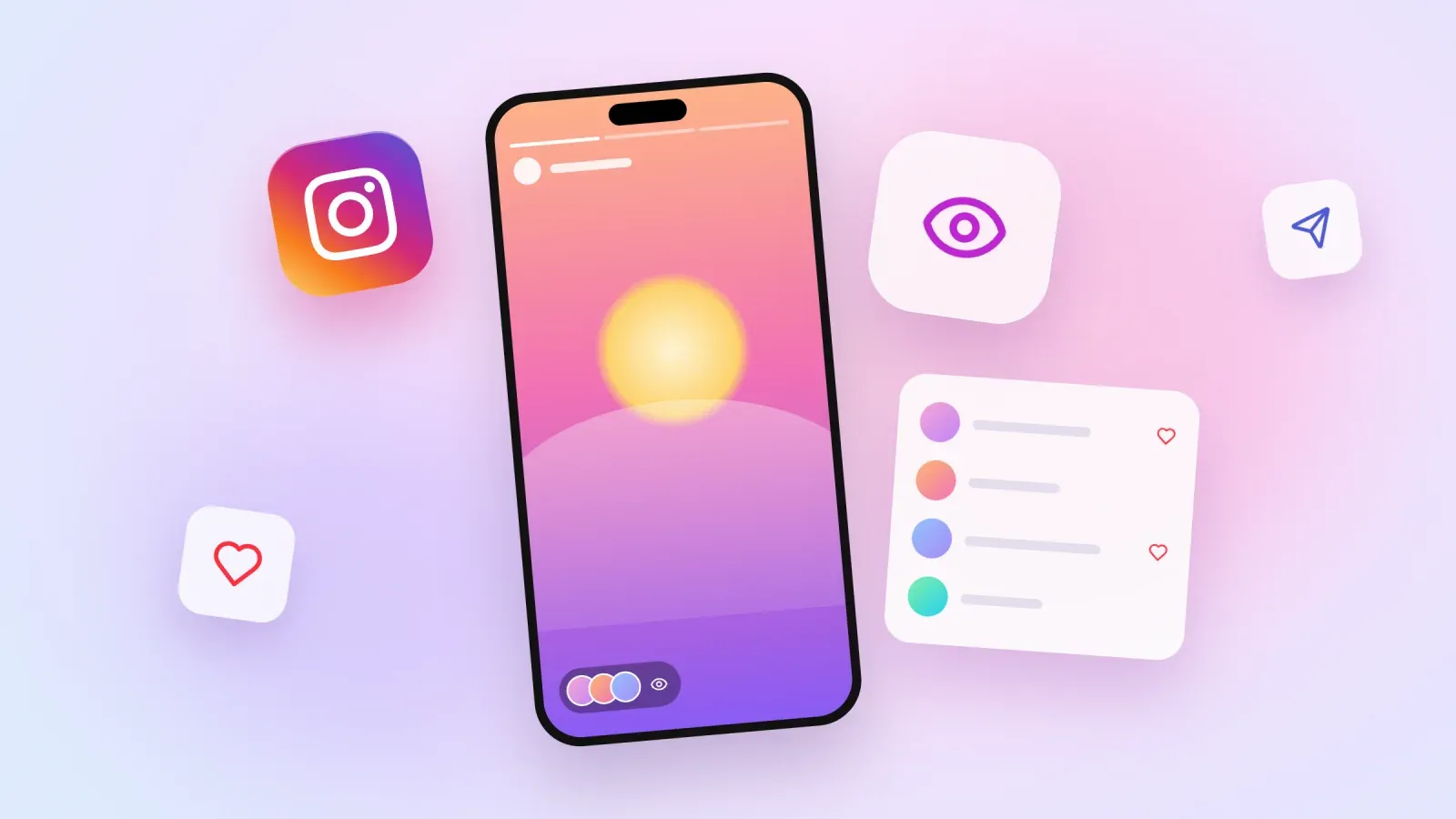
- Stories. You see the full list of people who viewed your Story, by username, for 48 hours after posting.
- Story Highlights. You see the names of viewers only during the first 48 hours after the original Story was posted. After that, only counts remain, in Insights for professional accounts.
- Reels. You see the number of views, likes, comments, shares and saves, but not who watched. Names appear only for people who like or comment.
- Feed posts and carousels. Same as Reels. You get view counts and the names of people who interact, not a list of viewers.
- Lives. You see who is watching while you're live.
- Your profile. Nobody can see who visited their profile. Professional accounts only see the number of profile visits in Insights.
In short, Stories and Lives show names. Everything else shows numbers.
How to see who viewed your Instagram Story
Checking your Story viewers takes a few seconds.
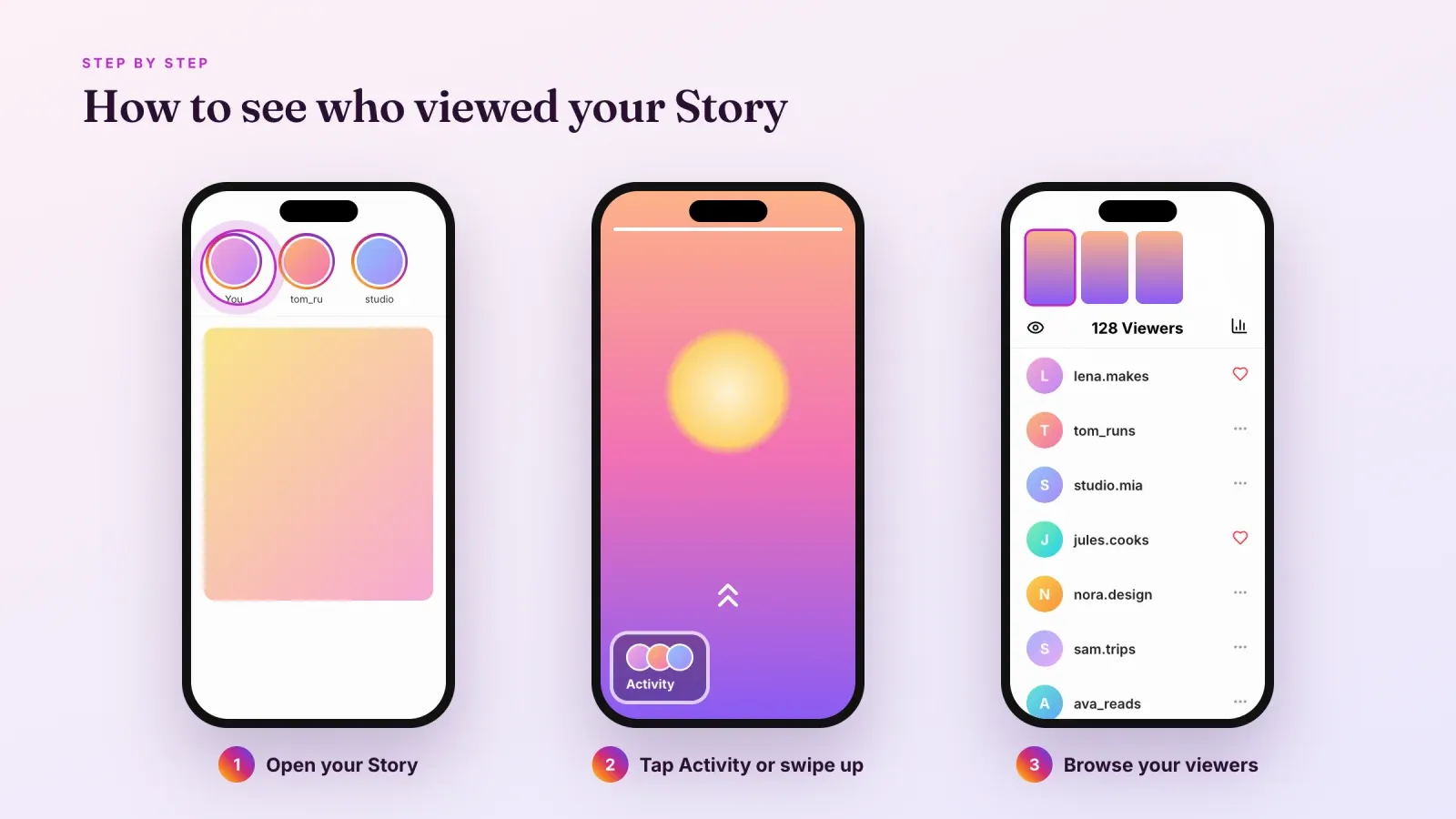
- Open your Story. Tap your profile picture at the top left of the home feed, or on your profile page, while your Story is active.
- Open the viewer list. Swipe up on the Story, or tap the small row of profile pictures labeled Activity at the bottom of the screen.
- Browse the list. You see the total number of viewers and the usernames of everyone who watched. People who liked the Story appear with a small heart, and replies or reactions are shown too.
- Switch between Stories. If you posted several Stories, swipe left or right at the top of the viewer screen to see the viewers of each one.
- Act on a viewer. Tap the three dots next to a name to hide your Story from that person, or tap their name to open their profile or send a message.
Both followers and non-followers appear in the list. If your account is public, anyone who watches your Story shows up, even if they don't follow you. If your account is private, only approved followers can watch, so only they appear.
How long you can see Story viewers
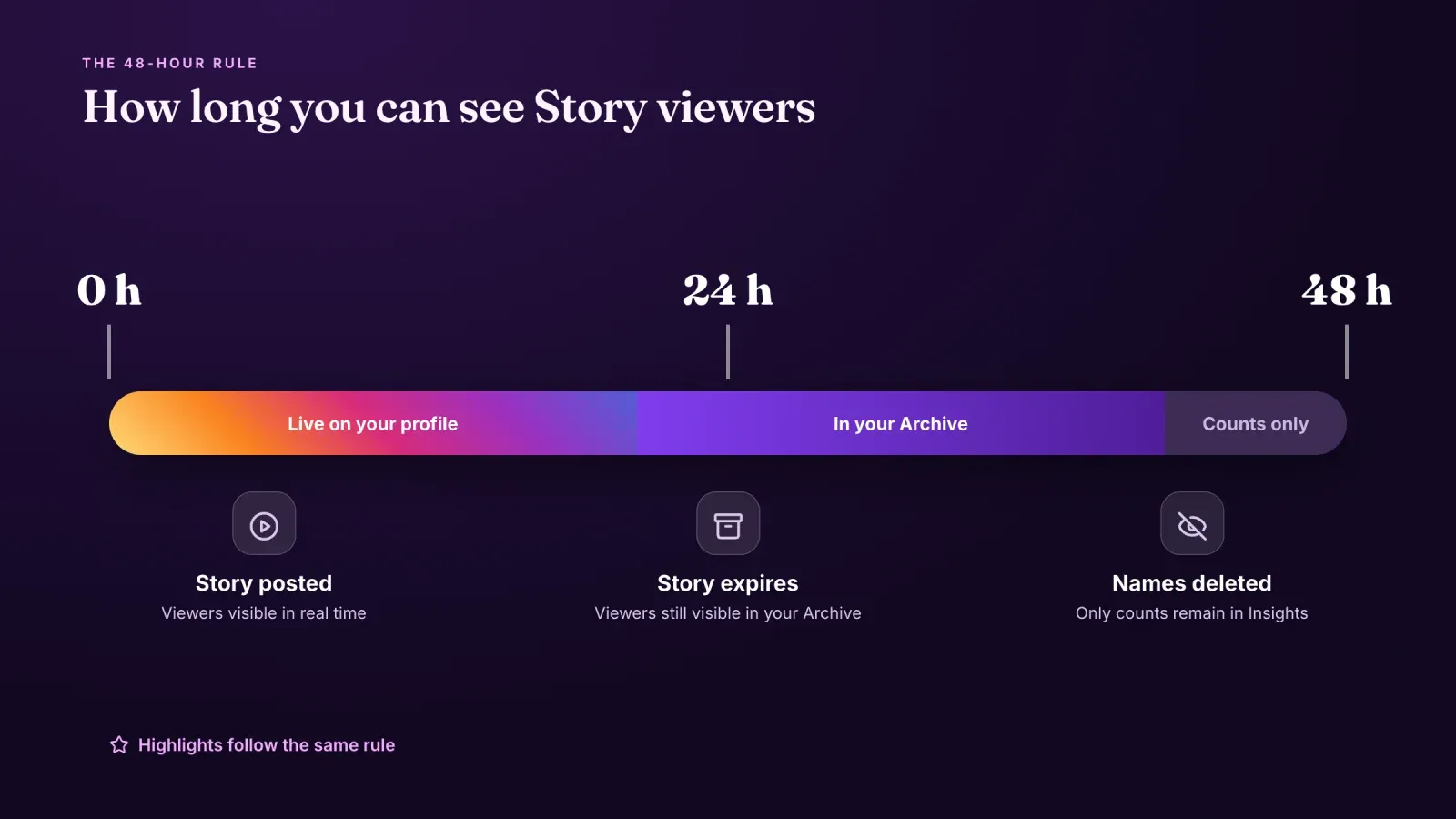
Stories disappear from your profile after 24 hours, but the viewer list lasts a little longer.
- From 0 to 24 hours. Your Story is live. Open it and swipe up to see viewers in real time.
- From 24 to 48 hours. Your Story has expired for others, but you can still see who viewed it. Go to your profile, tap the menu at the top right, open Archive, select the Story archive and open the Story, then swipe up.
- After 48 hours. The list of names is gone for good. Professional accounts can still see the total number of views and other metrics in Insights.
Highlights follow the same rule. If you add a Story to a Highlight, viewer names stay visible only until 48 hours after the Story was first posted. People who watch the Highlight later are counted in your views but not named. That's why the viewer list of an old Highlight often looks empty even when people still watch it.
If you want to remember who viewed an important Story, check the list or take a screenshot before the 48 hours are up.
Viewers vs views on your Story
The number at the top of your viewer list and the number in Insights don't always match, and that's normal.
Viewers are the people in the list, each counted once. Views count every time the Story is displayed, so one person who watches twice adds two views but stays one viewer. In Insights, accounts reached is the closest number to your viewer count.
Small gaps also come from timing. The viewer list updates in real time, while Insights can take a little while to refresh. And after 48 hours, the names disappear while the counts in Insights stay, which can make the two look very different.
Why people who don't follow you appear in your viewers
If your account is public, you'll often see unknown names in your Story viewers. They usually come from a few places.
- Your profile. Anyone who visits your profile can tap your profile picture to watch your active Story.
- Mentions and reshares. When you mention another account and it reshares your Story, or when someone shares your Story in a message, new people can watch it.
- Collaborators and friends of followers. People who discovered you through a Reel, a comment or a shared post often check your Stories before deciding to follow.
Unknown viewers are a good sign that you're reaching new people. If some of them look like spam accounts, you can hide your Story from them or block them.
How Instagram orders your Story viewers
Many people believe the first names on the list are the people who check their Stories the most, or secretly visit their profile. Instagram doesn't confirm that.
When only a few people have watched, the list tends to look chronological, with the most recent viewers at the top. Once many people have watched, Instagram sorts the list using its own signals, such as how often you interact with those accounts, messages, likes and profile visits between you. The exact formula isn't public and changes over time.
So the top of the list usually shows accounts you interact with a lot. It does not prove that someone is stalking your profile or watched your Story several times. Instagram doesn't show how many times one person viewed a Story either.
Can you see who viewed your Reels or posts?
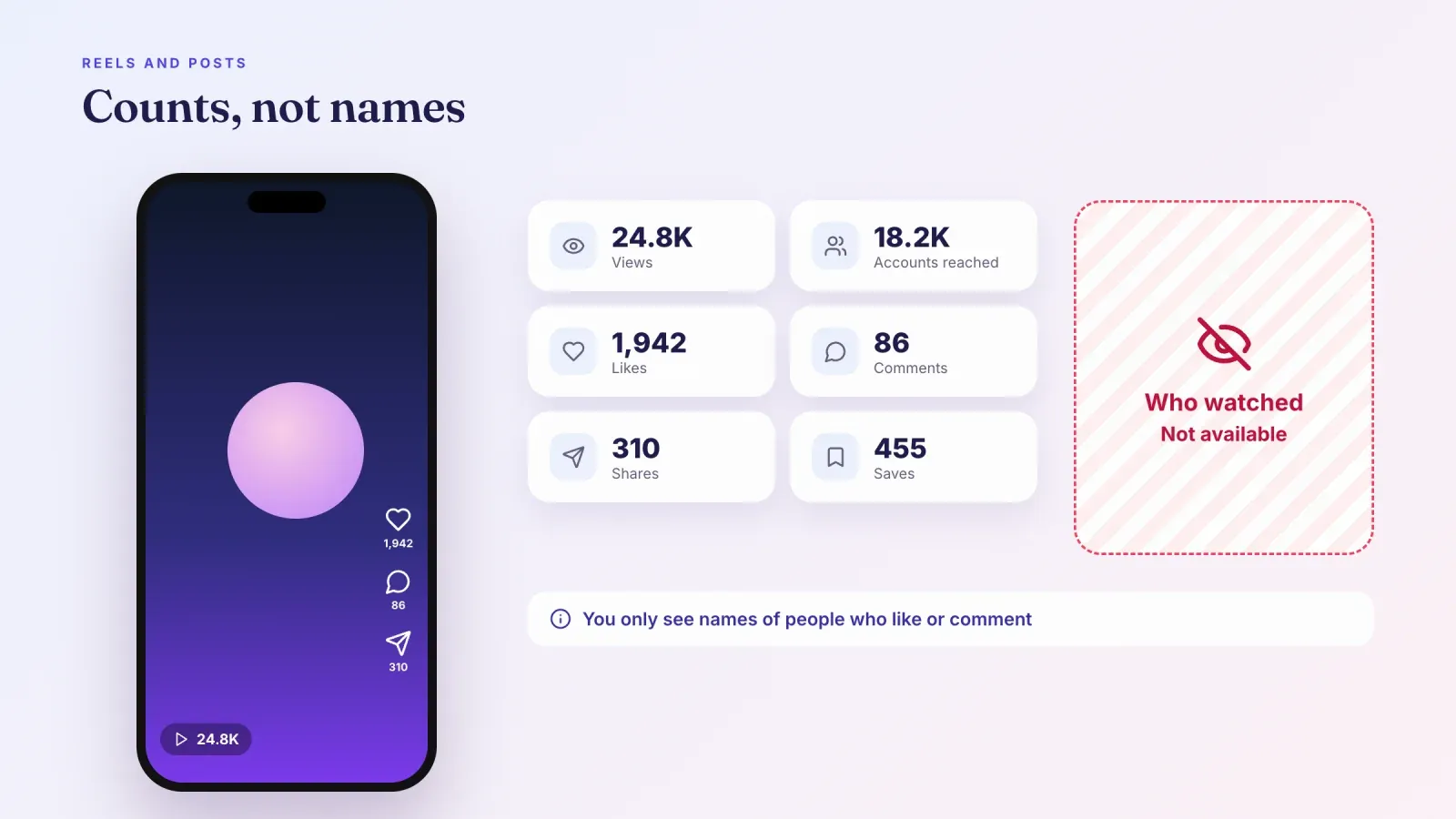
No. Instagram doesn't show a list of people who watched your Reels or saw your posts, and no setting turns one on.
What you see instead are numbers.
- Views. In April 2025, Instagram made Views the main metric across Reels, posts and Stories, replacing impressions and plays in Insights. A view is counted each time your content is displayed or starts playing, including repeat views.
- Likes, comments, shares and saves. You can see who liked or commented. Shares and saves are shown as numbers only.
- Accounts reached. In Insights, professional accounts can see how many unique accounts saw the content, and the split between followers and non-followers.
If a friend says they watched your Reel, you'll only know from a like or a comment. Watching alone leaves no trace you can see.
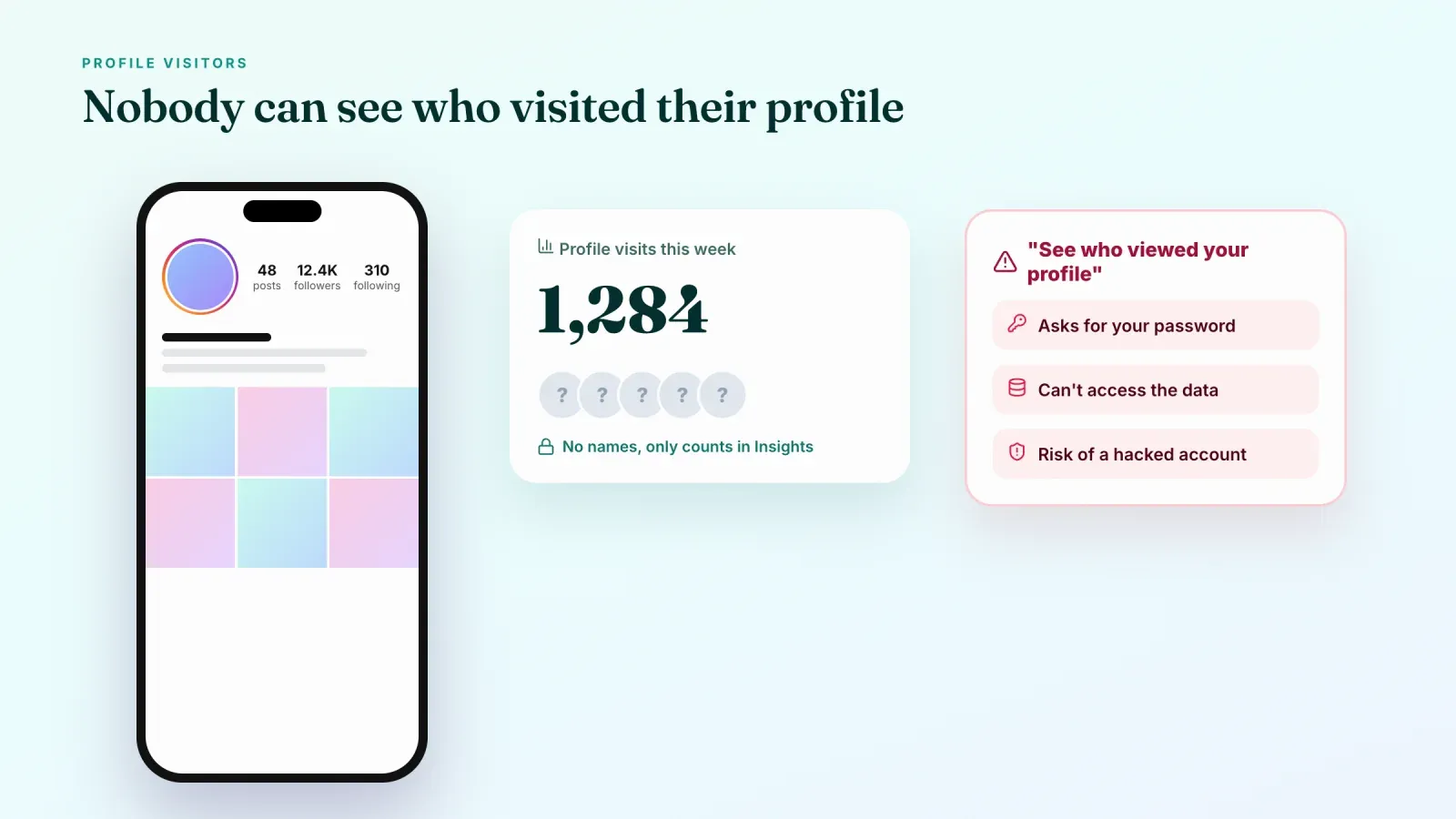
Can you see who viewed your Instagram profile?
No. Instagram doesn't show anyone who visited their profile, whether the account is personal, creator or business, and visitors aren't notified either.
Professional accounts can see aggregated numbers in Insights, such as profile activity, profile visits and taps on links or buttons, but never the names behind them.
Be careful with apps and websites that promise to reveal who viewed your profile. They can't access that data, because Instagram doesn't share it. Many of them ask for your Instagram password, which can lead to a hacked account, spam sent from your profile or your data being sold. Instagram's rules also forbid tools that collect data this way, and using them can get your account restricted.
Viewers on Instagram Live
Lives are the other format where you can see names. While you're live, the viewer count appears at the top of the screen. Tap it to see the list of people currently watching. You can also see comments and requests to join as they happen.
After the Live ends, you can share a replay or save it, and professional accounts get metrics such as peak concurrent viewers and accounts reached. As with Highlights, people who watch the replay later are counted but not listed by name.
Viewers in messages and other features
A few other Instagram features show who saw something.
- Direct messages. By default, "Seen" appears under a message once the other person has read it. Since 2024, you can turn read receipts off in your message settings, for all chats or for specific conversations.
- Disappearing photos and videos in messages. Instagram shows when the recipient has opened them, and whether they replayed them.
- Broadcast channels. Creators see member counts and reactions, not who read each message.
- Close Friends Stories. They work like normal Stories, with a viewer list limited to your Close Friends.
Can someone view your Story anonymously?
Yes, in a few ways, and Instagram doesn't offer a setting to stop all of them.
- Third-party viewer websites. Some sites let people watch public Stories without logging in. They only work on public accounts.
- Secondary or fake accounts. Someone can watch from another account you don't recognize. If your account is public, it appears in your viewer list, just under a name you don't know.
- Airplane mode tricks. Some people load Stories and turn on airplane mode before tapping them. This trick is unreliable, and the view is often recorded once the phone reconnects.
The most effective protection is a private account, because anonymous viewer sites can't see private Stories and every viewer must be an approved follower. Viewer websites that ask for your login or your followers' data carry real risks, and creating fake accounts to watch others breaks Instagram's terms of use.
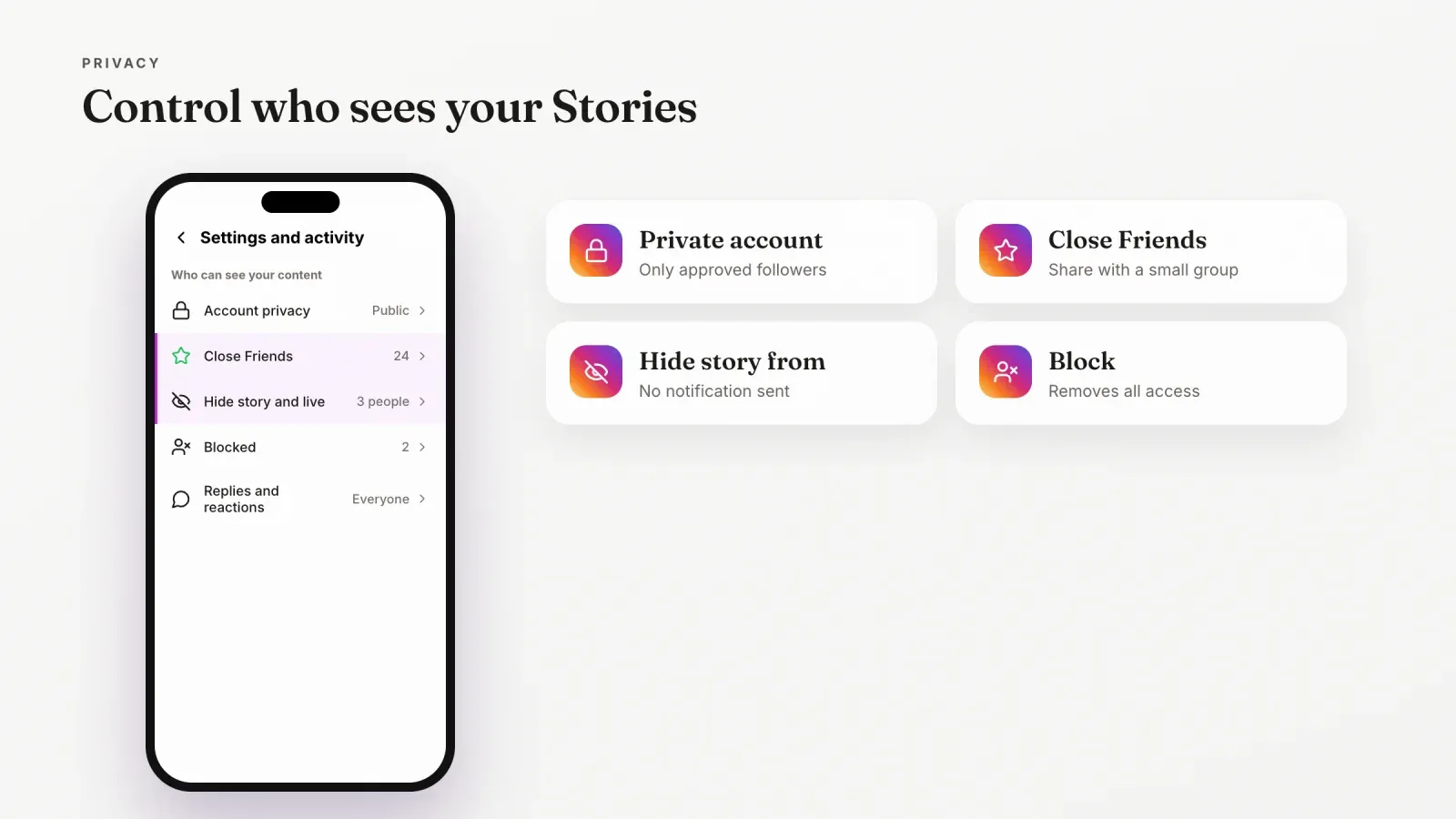
How to control who sees your Stories
You have several tools to decide who sees what. Menus can change slightly between app versions, but they are all in your settings.
- Make your account private. Go to Settings and activity, then Account privacy, and turn on Private account. Only approved followers can see your posts and Stories. This also reduces your reach, so it's rarely the right choice for creators and brands.
- Use Close Friends. Build a Close Friends list in your settings, then choose Close Friends when you share a Story. Only that group sees it, marked with a green circle.
- Hide your Story from specific people. Go to Settings and activity, then Hide story and live, and select accounts. They won't see your Stories or Lives, and they aren't notified. You can also hide your Story from someone directly from the viewer list.
- Remove a follower or block an account. Removing a follower on a private account stops them seeing your content. Blocking stops them from finding and viewing your profile at all.
- Limit replies. In Story settings, you can choose who can reply to or react to your Stories.
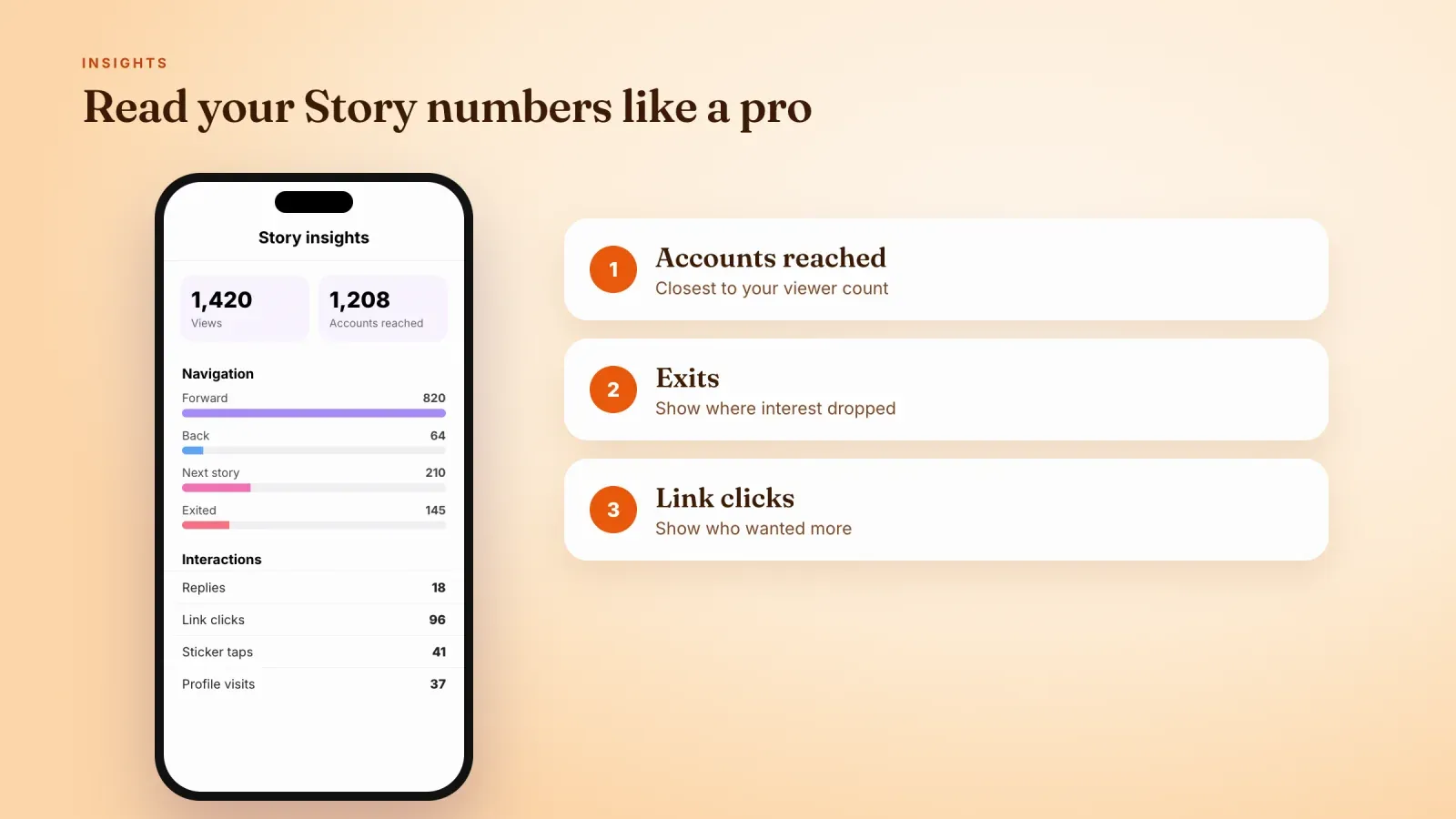
Understanding your view counts in Insights
If you use a creator or business account, Insights turns viewers into data you can act on. Open a Story, Reel or post and tap View insights, or go to your professional dashboard.
For Stories, the most useful metrics are:
- Views, the total number of times your Story was seen.
- Accounts reached, the number of unique accounts that saw it.
- Navigation, how people moved through it: taps forward, taps back, swipes to the next account and exits. Many exits on a frame show where people lost interest.
- Interactions, such as replies, shares, sticker taps and link clicks.
- Profile activity, the number of profile visits and follows that came from the Story.
For Reels and posts, look at views, accounts reached, watch time for Reels, likes, comments, shares and saves, and the split between followers and non-followers. A high share of non-followers means the content is reaching new people.
The point of these numbers is to find patterns. Compare Stories with many replies against those with many exits, or Reels that reach non-followers against those that only reach followers, and make more of what works.
How to get more Story viewers
Seeing your viewers is only useful if the list grows. Here are proven ways to increase it.
- Post consistently. Accounts that post Stories every day stay at the front of their followers' Story bar.
- Post when your audience is online. Use your Insights or our guide to the best time to post on Instagram to choose your timing.
- Open with a strong first frame. The first Story decides whether people keep tapping. Use a clear image, a question or a bold line of text.
- Use interactive stickers. Polls, quizzes, question boxes and emoji sliders invite taps and replies, and interactions tend to help your Stories reach more people.
- Share your Reels and posts to Stories. It gives followers another chance to see your content and sends traffic to it.
- Reply to every response. Conversations in direct messages strengthen your relationship with viewers and their interest in your next Stories.
- Keep sequences short. Three to seven frames usually hold attention better than long sequences.
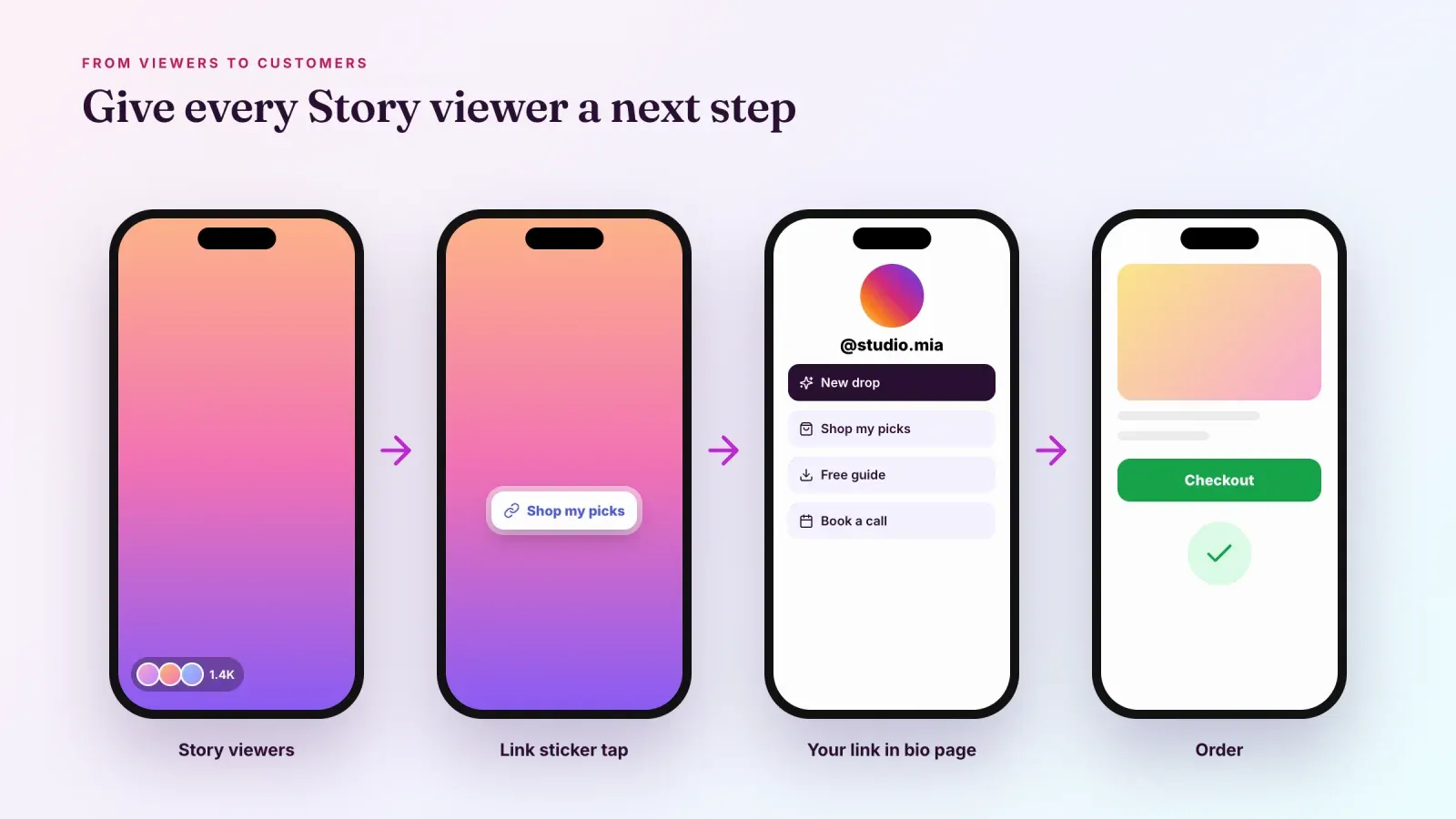
Turn Story viewers into visitors
Story viewers are some of your most engaged followers. They chose to tap on your face in a crowded Story bar. That makes them the right people to send somewhere, whether to a new product, a booking page, a free guide or a newsletter.
Use the link sticker in your Stories to send viewers to a specific page, and point to the link in your bio for everything else. A single link in bio page that brings together your products, content and offers gives every viewer a clear next step. If you're not sure how to set that up, read our guide on how to change the link in your Instagram bio.
Then measure the results. Story Insights show link sticker taps, and your link in bio page shows which links people click and what they buy. Together, they tell you which Stories bring real visitors and sales, beyond simple views.
A simple weekly routine for your viewers
Checking viewers once in a while is interesting. Doing it with a routine is useful. Here's a 15-minute weekly habit.
- Check this week's Stories before they expire from the viewer list. Note any new names, potential customers, collaborators or brands that watched.
- Reply to people who reacted. A short personal message to someone who replied, voted in a poll or watched several days in a row builds a real connection.
- Look at Story Insights. Find the frame with the most exits and the frame with the most replies or link taps.
- Compare reach with followers. If your Stories reach a smaller share of your followers than usual, test new times, stickers or formats.
- Check your link in bio clicks. See which Story links brought visitors and sales.
- Plan next week. Keep the formats that worked and drop the ones that lost viewers.
Common mistakes
Reading too much into the order of viewers. The top names reflect Instagram's ranking signals. They don't prove that anyone is watching you closely.
Waiting too long to check. After 48 hours, viewer names disappear permanently, even in Highlights.
Using "who viewed my profile" apps. They can't deliver what they promise and put your account at risk.
Focusing only on views. Views show reach. Replies, link taps and sales show interest.
Making a business account private. It hides your Stories from potential customers and limits your growth.
Frequently asked questions
Can I see who viewed my Instagram Story? Yes. Open your Story and swipe up or tap Activity to see the list of viewers. The list is available for 48 hours after posting, including from your Story archive.
Can I see who viewed my Instagram Story after 24 hours? Yes, until 48 hours after posting. Open your Story archive from your profile menu, open the Story and swipe up.
Can I see who viewed my Instagram Highlights? Only during the first 48 hours after the original Story was posted. After that, Highlights show views as numbers in Insights, without names.
Can I see who viewed my Instagram Reels? No. You can see how many views a Reel has and who liked or commented, but not who watched.
Can I see who viewed my Instagram profile? No. Instagram doesn't share profile visitors with anyone. Professional accounts only see the number of profile visits.
Does Instagram notify someone when you view their profile? No. Profile visits and Reel views are not notified. Only Story views, and Live views while the Live is on, show your username.
Why does the same person always appear first in my Story viewers? Instagram orders the list using signals like your interactions with that account. It usually means you interact a lot with that account.
Can someone see that I viewed their Story more than once? No. Instagram shows that you viewed it, but not how many times.
How do I hide my Story from someone without blocking them? Go to Settings and activity, then Hide story and live, and select the person. You can also tap the three dots next to their name in your viewer list.
Give your viewers a place to go
Every Story viewer is a chance to win a visitor, a subscriber or a customer. Create your free Roctify page to turn the link in your bio into a page with your products, digital downloads and offers, with built-in checkout and 0% transaction fees on every plan. To keep your Stories fresh, our list of Instagram captions has plenty of ideas for the words that go with them.