Monetizing a YouTube channel in 2027 looks different from even a year ago. YouTube is raising the bar to earn from ads, changing how Shorts revenue is shared, and adding new ways for creators to earn from shopping and brand deals. At the same time, the creators who earn the most are rarely relying on ads alone. They combine YouTube's built-in features with sponsorships, affiliate links, and their own products.
This guide explains exactly what changes in 2027, the requirements you need to meet, how to apply to the YouTube Partner Program step by step, and every way to earn from your channel, on YouTube and beyond. You will also find a 90-day plan to go from "not monetized" to a channel that pays you from several sources.
What changes for YouTube monetization in 2027
YouTube announced the first major update to its Partner Program entry requirements since 2018. Here is what you need to know.
- Higher bar for ad revenue, starting February 1, 2027. New creators who want to earn from ads will need 1,000 subscribers plus either 8,000 valid public watch hours in the last 12 months or 20 million valid public Shorts views in the last 90 days. That is double the previous 4,000 watch hours and 10 million Shorts views.
- Existing partners keep their place. Channels already in the Partner Program are not affected by the higher entry thresholds, but they need to review and accept the updated terms in YouTube Studio before February 1, 2027.
- A floor for Shorts revenue sharing. From February 1, 2027, channels in the program need at least 10 million valid Shorts views over the last 90 days to share in ad and subscription revenue from Shorts. Channels below that level stay in the program and keep earning from long-form videos, and Shorts revenue sharing resumes once they reach the threshold again.
- Fan funding and shopping requirements stay the same. The lower tier that unlocks memberships, Super Chat, Super Thanks, and shopping features keeps its existing requirements.
- New ways to earn are coming. YouTube has announced additional earning opportunities around shopping, brand deals, and fast-growing channels, with details to follow.
Rules like these can evolve, so always check the current requirements on the Earn page of YouTube Studio before planning around a number.
YouTube monetization requirements in 2027
The Partner Program has two levels. Each unlocks different features.
Level 1: fan funding and shopping
- 500 subscribers
- 3 public uploads in the last 90 days
- 3,000 valid public watch hours in the last 12 months, or 3 million valid public Shorts views in the last 90 days
This level unlocks channel memberships, Super Chat, Super Stickers, Super Thanks, and YouTube Shopping features in eligible countries.
Level 2: ad revenue and everything else (new applicants from February 1, 2027)
- 1,000 subscribers
- 8,000 valid public watch hours in the last 12 months, or 20 million valid public Shorts views in the last 90 days
This level adds a share of ad revenue on your videos and YouTube Premium revenue.
Requirements for every applicant
- Follow YouTube's channel monetization policies and Community Guidelines.
- Live in a country where the program is available.
- Have no active Community Guidelines strikes.
- Turn on 2-Step Verification for your Google account.
- Have an AdSense account to receive payments, or create one during the application.
Watch hours from Shorts do not count toward the long-form watch-hour requirement, and views from Shorts count only toward the Shorts path. Private, deleted, and unlisted videos do not count either, which is why the requirements say "public."
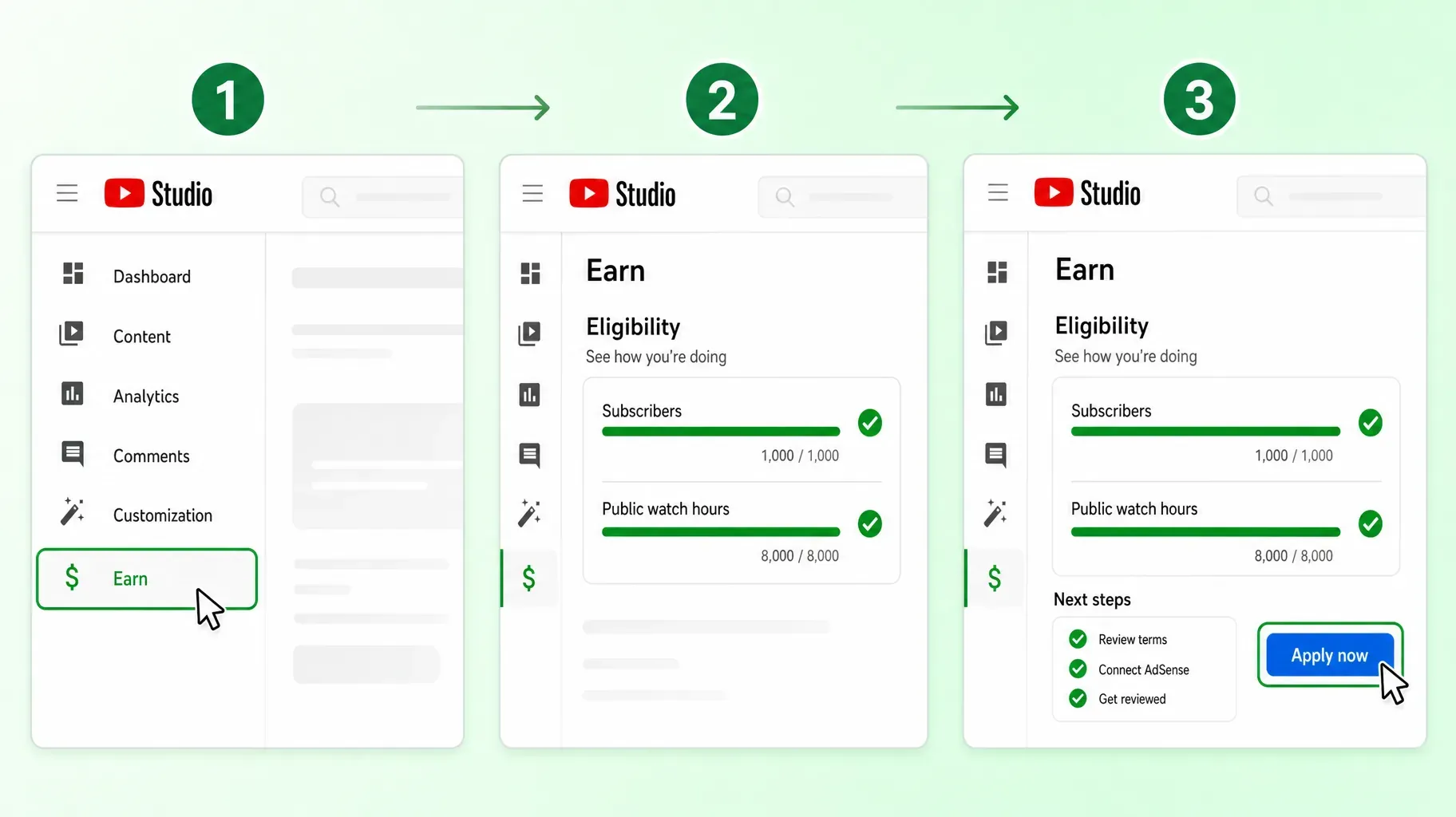
1. Check your eligibility and prepare your channel
Start by finding out exactly where you stand.
- Open YouTube Studio on a computer.
- Click Earn in the left menu.
- Look at the eligibility progress bars for subscribers and watch hours or Shorts views.
- If you meet the requirements, you will see a button to Apply now. If not, the page shows how far you are from each threshold.
While you work toward the thresholds, prepare your channel so the review goes smoothly:
- Check originality. YouTube reviews your channel as a whole. Reused content, compilations with little added value, and repetitive, mass-produced videos can lead to a rejection. Make sure your library shows your own voice, commentary, or creative work.
- Read the monetization policies. Advertiser-friendly guidelines, copyright rules, and community guidelines all matter. Remove or edit videos that could be a problem.
- Turn on 2-Step Verification in your Google account security settings.
- Prepare your AdSense account. If you already have one, make sure your name and address are correct. If not, you can create one during the application.
- Organize your channel. A clear description, channel links, playlists, and consistent titles help reviewers and viewers understand what your channel is about.
2. Apply to the YouTube Partner Program
Once you meet the requirements, the application takes only a few minutes.
- In YouTube Studio, click Earn.
- Click Apply now.
- Review and accept the Partner Program terms.
- Connect an existing AdSense account or create a new one.
- Submit your channel for review.
YouTube reviewers then check your channel against its policies. A decision usually arrives within about a month, although it can take longer when many channels are applying. You will get an email and see the result on the Earn page.
If you are accepted, set up your monetization preferences, choose which ad formats to allow, and turn on the fan funding features you want to use.
If you are rejected, YouTube tells you which policy was the main reason. Fix the issue, remove or improve problematic videos, and reapply after the waiting period shown in Studio, usually 30 days. If you are rejected again, the waiting period is typically longer, so take time to address the feedback properly.
3. Earn more from ads on long-form videos
Ad revenue is the foundation of YouTube monetization for many channels. For long-form videos, creators receive 55% of the net revenue from ads shown on their videos. How much that adds up to depends on a few factors.
RPM and CPM. CPM is what advertisers pay per 1,000 ad impressions. RPM, revenue per mille, is what you actually earn per 1,000 video views after YouTube's share and including views with no ads. RPM is the number to watch in YouTube Analytics.
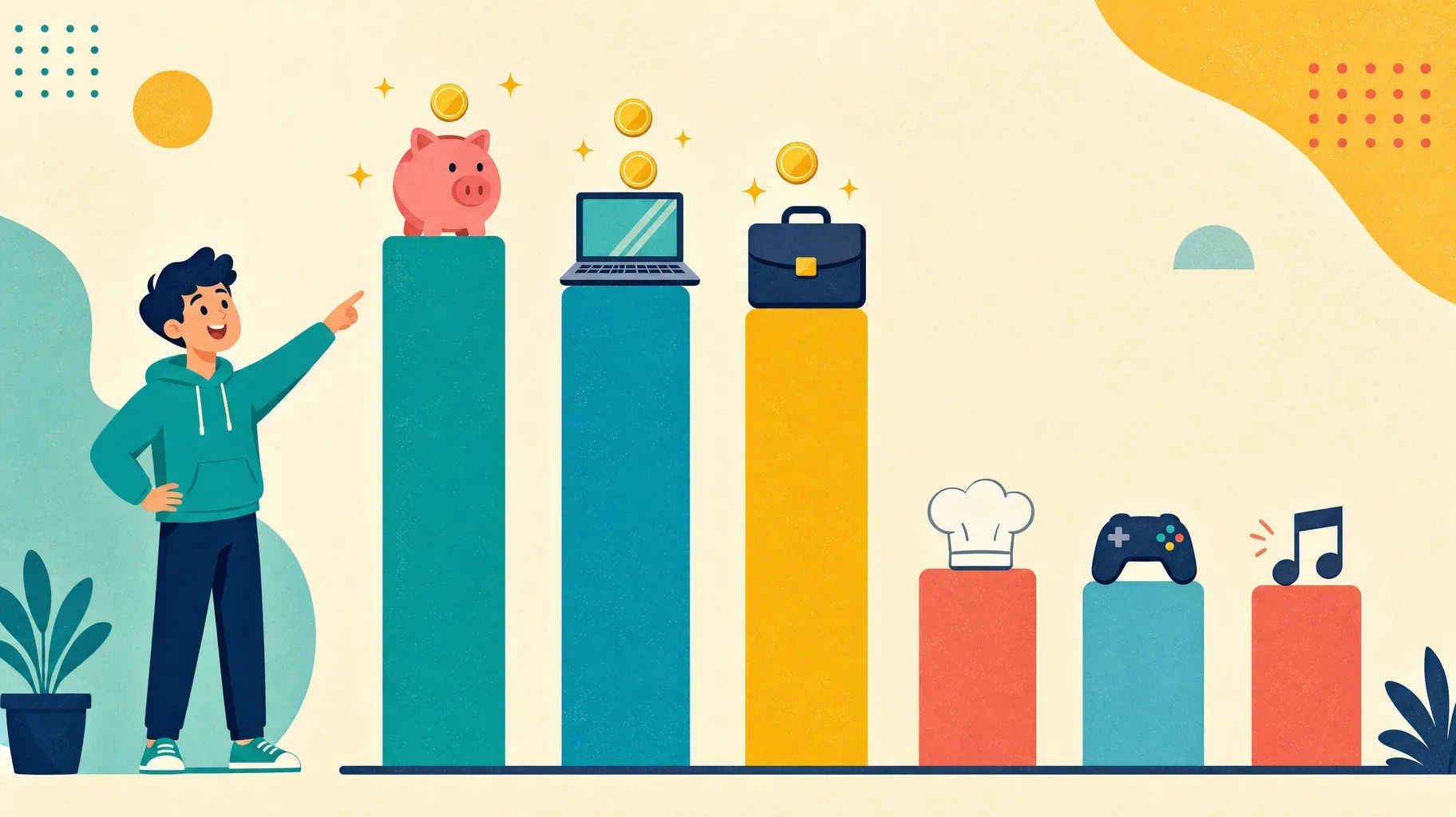
Your niche matters more than your subscriber count. Advertisers pay more to reach viewers who are likely to buy. Channels about personal finance, business, software, and technology usually earn higher RPMs than entertainment or gaming, because their audiences have strong buying intent.
Audience location. Ads in some countries pay much more than in others. Your RPM reflects where your viewers live.
Video length and mid-roll ads. Videos of 8 minutes or longer can include ads during the video, not just before and after. Place mid-roll breaks at natural pauses so they do not frustrate viewers.
Seasonality. Advertisers spend more at the end of the year and less in January. Expect your RPM to rise and fall over the year.
Watch time. Videos that keep people watching show more ads and get recommended more often. Strong hooks, clear structure, and good pacing increase both views and ad revenue.
The most effective way to grow ad revenue is to create more of the videos that already perform well with an audience advertisers value, while keeping quality and watch time high.
4. Earn from Shorts in 2027
Shorts can bring huge reach, but they earn differently from long-form videos.
How Shorts revenue works. Ads run between Shorts in the feed rather than inside individual videos. YouTube pools that revenue, allocates part of it to creators based on their share of Shorts views, and creators keep 45% of their allocated amount.
The 2027 floor. From February 1, 2027, only channels with at least 10 million valid Shorts views in the last 90 days share in Shorts ad and subscription revenue. Smaller Shorts channels in the program still earn from their long-form videos.
Use Shorts as a funnel. For most creators, Shorts work best as a discovery tool. Link each Short to a related long-form video, create Shorts that tease or summarize longer content, and use them to grow subscribers who then watch your monetized long-form videos.
Mind the music and content rules. Shorts that use music or content from others may have their revenue shared with rights holders or earn nothing. Original audio and your own footage keep more of the revenue for you.

5. Turn on fan funding and YouTube Shopping
Fan funding lets your most engaged viewers support you directly. These features unlock at the first level of the Partner Program.
Channel memberships. Viewers pay a monthly fee for perks such as badges, custom emojis, members-only videos, posts, and live streams. You can create several levels at different prices. Memberships work best when the perks are clear and delivered consistently.
Super Chat and Super Stickers. During live streams and Premieres, viewers can pay to highlight a message or send an animated sticker. Regular live streams with interactive formats, such as Q&As, reviews, or tutorials, give fans a reason to participate.
Super Thanks. Viewers can send a one-time tip on your regular videos and Shorts, with a highlighted comment. Thanking supporters by name in your next video encourages others.
Revenue share. For memberships, Super Chat, Super Stickers, and Super Thanks, creators generally receive 70% of the revenue after taxes and app store fees.
YouTube Shopping. Eligible channels can tag products in videos, Shorts, and live streams, and show a product shelf under videos. You can connect your own store to sell merchandise and products, and in some countries you can also join the Shopping affiliate program to earn commission on products from partner brands.
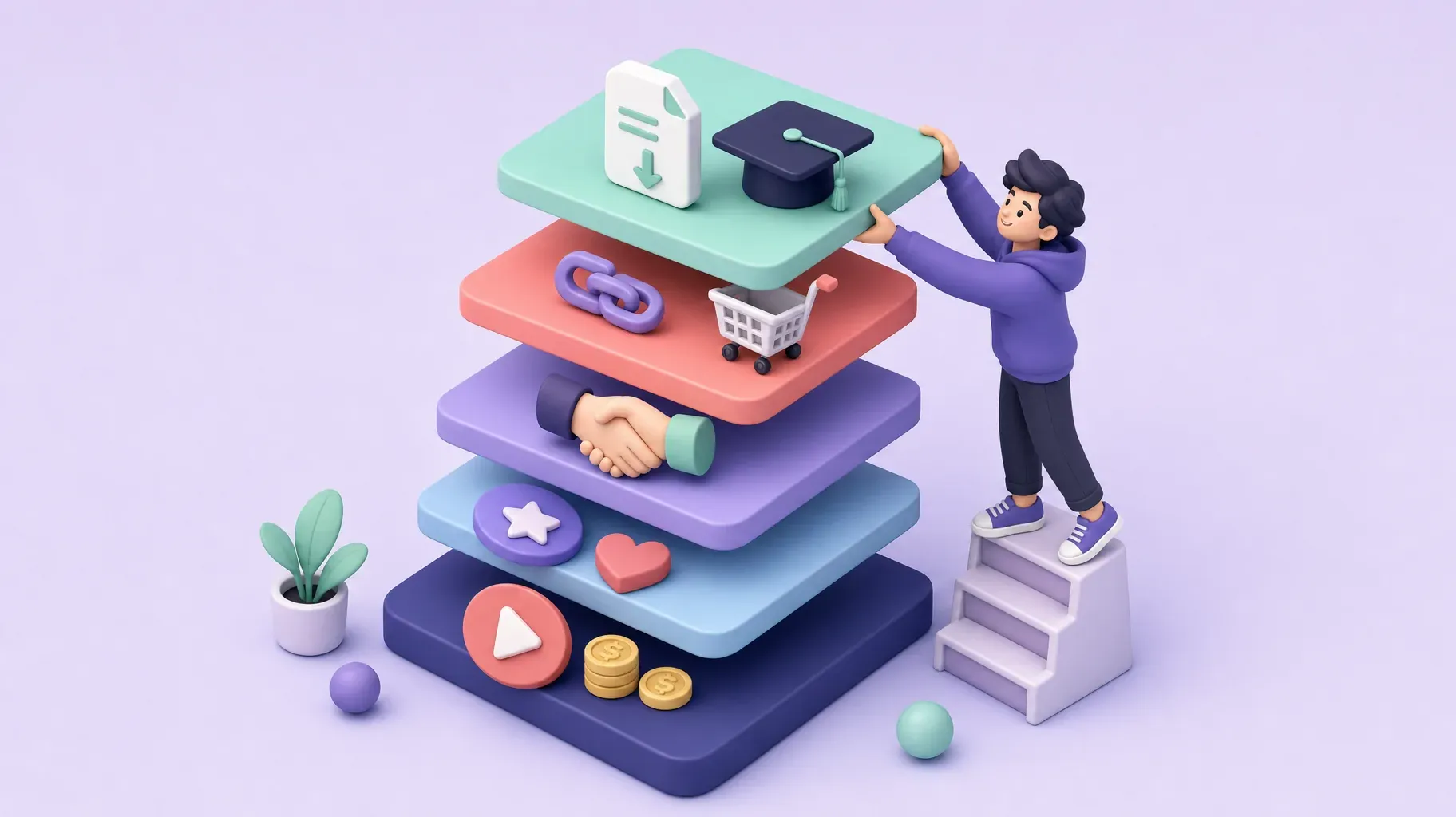
6. Earn beyond YouTube with sponsorships, affiliate links, and products
The most resilient creator businesses do not depend on a single platform. These income streams do not require the Partner Program at all, so you can start them before you are monetized.
Sponsorships. Brands pay you to feature their product in a video, usually as a short integrated segment. Brands care about audience fit and engagement more than raw subscriber numbers. Build a simple media kit with your audience demographics, average views, and past results, and pitch brands your audience already uses. Always disclose paid promotions, using YouTube's paid promotion setting and a clear mention in the video.
Affiliate marketing. Recommend products you actually use and earn a commission when viewers buy through your links. Tutorials, reviews, "what's in my bag" videos, and gear guides work particularly well. Put affiliate links in the description with a clear disclosure.
Digital products. Templates, presets, guides, checklists, and mini-courses turn your expertise into something people can buy at any time. They have high margins and grow with your audience.
Services and coaching. Consulting calls, audits, lessons, and freelance work are often the fastest way to earn meaningful income from a smaller, targeted audience.
Merchandise. Branded products work best for channels with a strong identity and a loyal community.
Memberships off YouTube. Some creators run paid communities or newsletters on other platforms to offer deeper content and keep a direct relationship with their audience.
Choose one or two of these to start. A channel with 5,000 engaged subscribers in a clear niche can often earn more from one good digital product and a few sponsorships than from ads.
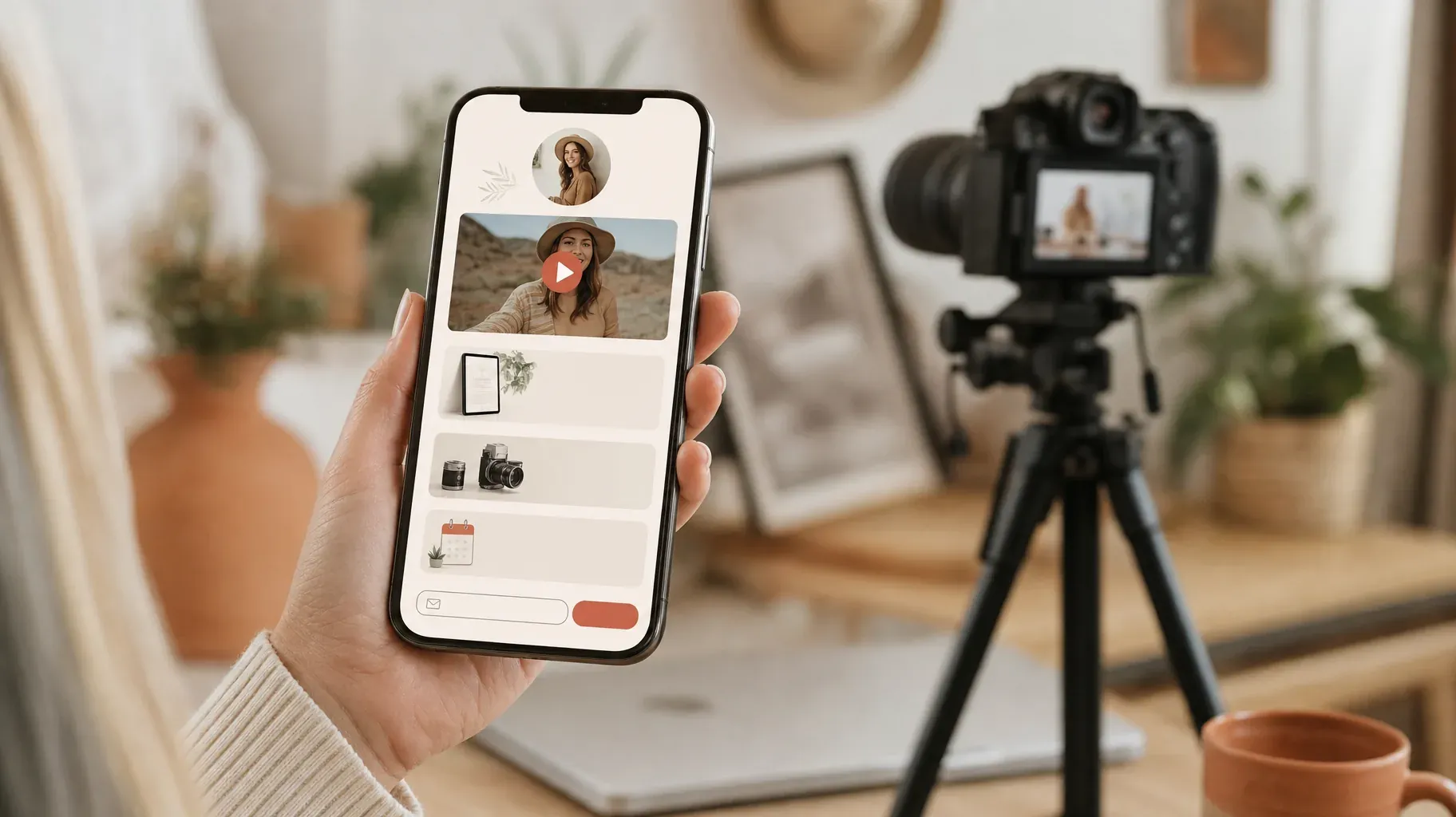
7. Build a store page that turns viewers into customers
Once you offer products, services, or affiliate recommendations, viewers need an easy place to find them. Sending people to five different websites from a video description loses many of them along the way.
A single store page, linked from your channel and your video descriptions, solves that. It can show:
- Your flagship product or service at the top
- A free resource in exchange for an email address
- Your recommended gear and affiliate links
- A booking button for coaching or consulting
- Your latest video and links to your other platforms
Match the call to action to the video. A tutorial can point to a free template. A gear review can point to your affiliate list. A strategy video can point to your paid course. When the link in the description delivers exactly what the video promised, more viewers click and buy.
Put the link where it gets seen. Use the first two lines of your description, a pinned comment, and your first channel link. Mention it out loud in the video, and show it on screen when you talk about it.
Capture emails. An email list is the one audience you own. If a video goes viral or the algorithm changes, your list lets you reach your viewers directly.
How YouTube pays you
YouTube earnings from the Partner Program are paid through AdSense for YouTube. To estimate how much you'll earn per view, per 1,000 and per million views, see our guide on how much YouTube pays.
- Monthly cycle. Your estimated earnings for a month are finalized early in the following month and added to your AdSense balance.
- Payment threshold. AdSense pays you once your balance reaches the payment threshold for your currency, for example $100 in the United States. If you have not reached it, the balance rolls over to the next month.
- Tax information. You need to submit tax information in AdSense. Depending on your country and your viewers' locations, taxes may be withheld from some earnings.
- Payment method. Add a bank account or another method available in your country, and verify your address if AdSense asks for it.
Income from sponsorships, affiliate programs, and your own products arrives separately, through the brands, affiliate networks, or payment providers you work with. Keep track of every source in one simple spreadsheet so you know which ones really move your income.
Examples of monetization in practice
A personal finance channel with 8,000 subscribers earns a solid RPM from ads, sells a budgeting spreadsheet template, and links to a few financial tools as an affiliate. The template and affiliate links often bring in more than the ads.
A home cooking channel uses Shorts to reach new viewers, links each Short to a full recipe video, sells a digital recipe book, and runs a monthly live stream where fans send Super Chats to ask questions.
A video editing tutorial channel is not yet in the Partner Program but earns from preset packs, a paid mini-course, and one sponsorship a month from software brands its audience already uses.
A fitness coach offers channel memberships with weekly members-only workouts and sells one-to-one coaching through a booking link in every video description.
In every case, the channel's topic points naturally to one or two offers, and the videos lead viewers to them.
A 90-day plan to monetize your channel in 2027
Days 1 to 30: build the foundation
- Check your status on the Earn page and note the gap to each threshold.
- Audit your library. Identify the videos that bring the most watch time and subscribers.
- Plan more videos in the same format and topics as your best performers.
- Clean up your channel: description, links, playlists, and consistent titles.
- Set up your store page with one free resource and your email signup.
Days 31 to 60: add income streams
- Launch one offer that does not require the Partner Program: an affiliate list, a digital product, or a paid service.
- Prepare a media kit and pitch three to five brands that fit your audience.
- If you meet the requirements, apply to the Partner Program and connect AdSense.
- Once you reach the first level, turn on memberships or Super Thanks.
Days 61 to 90: optimize
- Track which videos bring the most store visits, email signups, sales, and sponsor interest.
- Double down on those topics and formats.
- Test better calls to action in your descriptions and pinned comments.
- Review your RPM, fan funding, and off-platform income, and decide which stream to grow next.
Mistakes to avoid
Waiting for ad revenue before earning anything. Affiliate links, services, and digital products work from day one.
Chasing views that do not pay. Viral videos outside your niche can bring subscribers who never watch your core content. Grow the audience you actually want to serve.
Uploading reused or low-effort content. It can get your application rejected and your monetization removed later.
Ignoring the 2027 deadline. If you are already a partner, accept the new terms in Studio before February 1, 2027.
Relying on Shorts alone. Under the 2027 rules, Shorts revenue requires a high view floor. Use Shorts to drive long-form views and sales.
Hiding your links. A link at the bottom of a long description rarely gets clicked. Put it at the top, in a pinned comment, and on your channel.
Forgetting disclosures. Mark paid promotions and affiliate links clearly. It protects your channel and your audience's trust.
Frequently asked questions
How many subscribers do I need to monetize YouTube in 2027?
You need 500 subscribers for fan funding and shopping features, and 1,000 subscribers for ad revenue. Watch-hour or Shorts-view requirements also apply.
What are the new YouTube monetization requirements in 2027?
From February 1, 2027, new applicants need 1,000 subscribers plus 8,000 valid public watch hours in 12 months or 20 million valid public Shorts views in 90 days to earn ad revenue.
Do the 2027 changes affect channels already monetized?
Existing partners are not affected by the higher entry thresholds, but they must accept the updated terms in YouTube Studio before February 1, 2027. Shorts revenue sharing will require 10 million Shorts views in 90 days for everyone.
How much does YouTube pay per 1,000 views?
It varies widely by niche, audience location, and season. Check your RPM in YouTube Analytics to see your actual earnings per 1,000 views.
Can I make money on YouTube without the Partner Program?
Yes. Sponsorships, affiliate links, digital products, services, and merchandise do not require the Partner Program.
How long does the Partner Program review take?
Usually about a month, but it can take longer. You will receive an email and see the result on the Earn page in YouTube Studio.
Build a channel that pays you in 2027
The 2027 changes make ad revenue harder to reach for new creators, which makes a diversified approach more important than ever. Use the Partner Program as one layer of your income, and build the others around it: fan funding, sponsorships, affiliate links, and your own products and services.
The simplest way to connect your videos to those income streams is a single store page linked from your channel. A Roctify page can feature your products, services, affiliate recommendations, booking options, and email signup in one place, with 0% transaction fees on every plan. Create your Roctify page and add it to your YouTube channel links today.