Every streamer who wants to earn money on Twitch runs into the same two words: Affiliate and Partner. Both let you monetize your channel, both unlock subscriptions and Bits, and both are milestones people celebrate on stream. But they are not the same thing. The requirements are very different, the perks are different, and so is what each one means for your income and your future on the platform.
If you are wondering whether you should push for Partner, how far you are from Affiliate, or what actually changes when you get the purple checkmark, this guide explains everything in plain terms. You will learn what each program is, the requirements to join, how the money works, the perks side by side, how to apply step by step, and how to grow from one level to the next.
Twitch Affiliate vs Partner in one minute
- Twitch Affiliate is the first level of monetization. It is designed for growing channels and is relatively easy to reach. Affiliates can earn from subscriptions, Bits, and ads.
- Twitch Partner is the higher tier for established channels with a strong, consistent audience. Partners get extra perks, more customization, priority support, and the verified badge.
- Affiliate is automatic, or close to it: once you meet the requirements, Twitch invites you to join.
- Partner requires an application and a review by Twitch, even after you meet the numbers.
- Both can improve their revenue split through Twitch's Plus Program, which rewards channels with steady subscriptions.
In short, Affiliate is where most streamers start earning, and Partner is where full-time and long-term streamers aim to end up.
What is a Twitch Affiliate?
The Affiliate Program is Twitch's entry point to monetization. It was created so smaller streamers could start earning from their community long before they reach a large audience.
As an Affiliate, you can:
- Accept subscriptions at three tiers, and receive gifted subs.
- Receive Bits, Twitch's virtual currency that viewers use to cheer in chat.
- Earn from ads that run on your channel.
- Create custom emotes for your subscribers, with more slots unlocked as your subscriber count grows.
- Use Channel Points with custom rewards for your viewers.
- Get paid once your balance reaches the payout threshold.
Affiliate status also sends a signal to viewers and brands that your channel is active and growing.
Twitch Affiliate requirements
Twitch tracks your progress toward Affiliate on the Achievements page of your Creator Dashboard, and all requirements are measured over a rolling 30-day window. Historically the bar was 50 followers, 500 minutes of streaming on 7 different days, and an average of 3 concurrent viewers.
In 2026, Twitch lowered this entry bar as part of an update that opened basic monetization to more streamers. The requirements now reported are:
- 25 followers.
- At least 4 hours of streaming in the last 30 days.
- At least 4 different broadcast days.
- An average of 3 concurrent viewers across those streams.
The average viewer requirement is usually the hardest part, because it cannot be reached by streaming more often alone. Your Achievements page always shows the exact criteria that apply to your channel, so check it first.
Once you meet the requirements, Twitch sends you an invitation by email and in your dashboard notifications. You then accept the Affiliate agreement, set up your payout details, and complete your tax information.
What is a Twitch Partner?
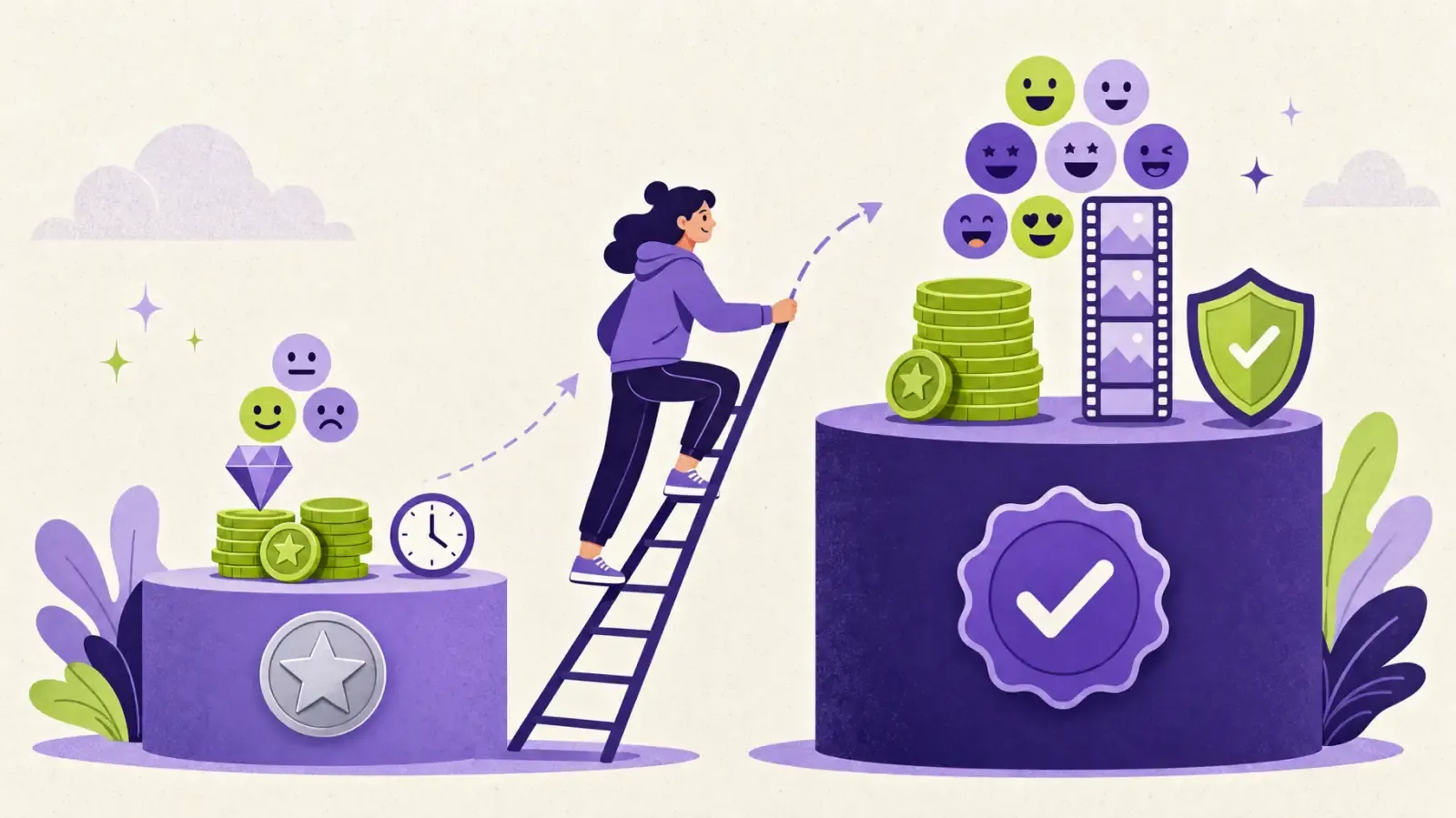
The Partner Program is for channels that have built a large, loyal, and consistent audience. Partners are recognized by the purple verified checkmark next to their name.
Beyond everything Affiliates can do, Partners generally get:
- The verified checkmark, which builds trust with viewers and brands.
- More emote slots and more customization options.
- Longer storage for past broadcasts, so VODs stay available longer.
- Priority access to transcoding, which gives viewers quality options such as 720p and 480p, important for people on slower connections.
- Priority creator support from Twitch.
- More control over ads, including options to reduce pre-roll ads for your viewers.
- Access to events, programs, and promotional opportunities reserved for Partners.
Partnership is less about unlocking monetization, since Affiliates already earn, and more about stability, visibility, and tools for streamers who treat Twitch as a serious career.
Twitch Partner requirements
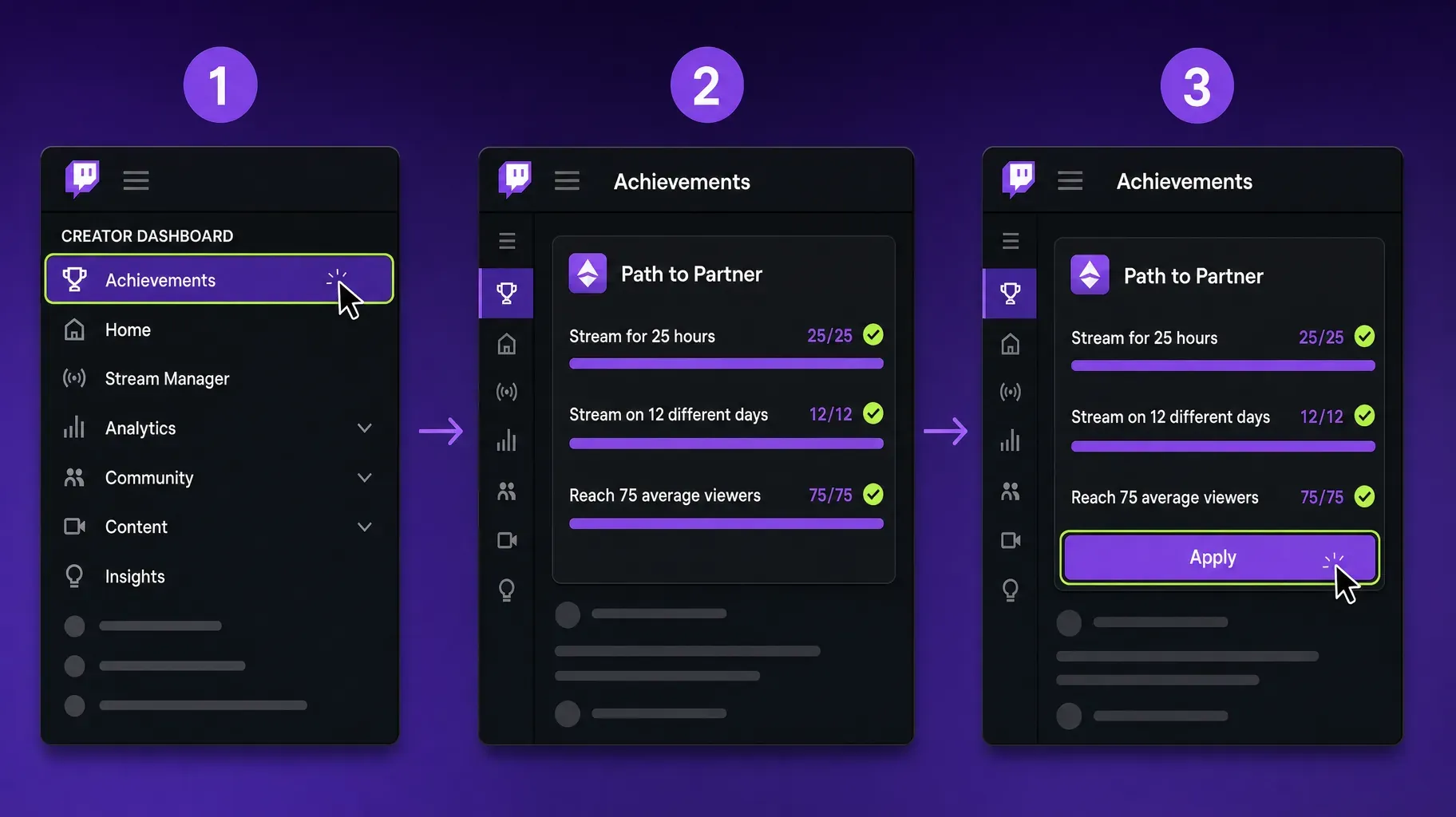
To apply for Partner, you first need to complete the Path to Partner achievement in your Creator Dashboard. According to Twitch, it requires, within the same 30-day period:
- Streaming for at least 25 hours.
- Streaming on at least 12 different days.
- Reaching an average of 75 concurrent viewers.
Meeting these numbers does not guarantee acceptance. Twitch reviews each application and looks at other factors, such as how consistent your audience is over time, how engaged your community is, whether your content follows Twitch's guidelines, and whether your viewership comes from genuine viewers. Channels with sudden spikes or artificial views are rejected.
Some streamers become Partners without completing Path to Partner, for example if they already have a large audience on another platform. In that case, they explain their situation in the application.
Revenue split and how the money works
Both Affiliates and Partners earn from the same main sources. The difference comes mostly from how revenue is shared and the tools available to grow it.
Subscriptions. Viewers pay monthly at Tier 1, Tier 2, or Tier 3, or gift subscriptions to others. By default, most streamers receive about half of net subscription revenue, and Twitch keeps the rest.
The Plus Program. Twitch rewards channels that maintain a steady number of subscriptions with a better split. Channels earn Plus Points from their recurring subscriptions, with higher tiers worth more points. Keeping enough points for three consecutive months unlocks an improved revenue share, which can go up to 70/30 on subscription revenue, within limits set by Twitch. The program is open to both Affiliates and Partners, and the exact thresholds are shown in your dashboard. To see what your own subs pay at each split, try our free Twitch subscriber count calculator.
Bits. When viewers cheer with Bits, the streamer receives one US cent per Bit, the same for Affiliates and Partners.
Ads. Both can earn from ads. Twitch's ads incentive program pays streamers more when they run a certain number of ad minutes per hour, and Partners have more control over how ads appear.
Off-platform income. Sponsorships, merch, donations through third-party tools, affiliate links, and digital products often make up a large share of a streamer's income, whether they are Affiliates or Partners.
Affiliate vs Partner perks side by side
- Monetization. Affiliate: subscriptions, Bits, ads. Partner: the same, with more ad controls.
- How you join. Affiliate: invitation once requirements are met. Partner: application and manual review.
- Audience needed. Affiliate: a small but active audience. Partner: a consistent average of 75 viewers or more.
- Verified checkmark. Affiliate: no. Partner: yes.
- Emote slots. Affiliate: fewer, growing with subscribers. Partner: more.
- VOD storage. Affiliate: shorter. Partner: longer.
- Transcoding. Affiliate: when available. Partner: priority access.
- Support. Affiliate: standard. Partner: priority.
- Revenue split. Both: standard split by default, improved through the Plus Program.
Which one is right for you?
The real question is less "Affiliate or Partner?" and more "what stage is my channel at?"
You are just starting. Focus on Affiliate. It unlocks monetization, emotes, and Channel Points, which help you build a community and give your viewers ways to support you early.
You are a growing Affiliate. Stay focused on consistency, community, and promotion. Watch your average viewers rather than your follower count, and use the Plus Program to improve your revenue as your subscriptions become steady.
You regularly have 75 or more viewers. Start preparing your Partner application. Keep your schedule stable for a few months, document your growth, and make sure your channel is clean, branded, and easy to understand.
You have a big audience elsewhere. If you are already established on YouTube, TikTok, or another platform, you can explain this in a Partner application, even before your Twitch numbers are high.
1. Check your progress in the Creator Dashboard
Your Creator Dashboard shows exactly where you stand.
- Go to twitch.tv and log in.
- Click your profile picture, then Creator Dashboard.
- In the left menu, open Achievements.
- Look at Path to Affiliate or Path to Partner to see your progress on each requirement.
Check this page once a week. It shows which requirement is holding you back, whether it is followers, hours, days, or average viewers.
2. Accept your Affiliate invitation
When you meet the Affiliate requirements, Twitch sends an invitation.
- Open the invitation from your email or the notifications in your dashboard.
- Read and accept the Affiliate agreement.
- Enter your payout details, such as a bank account or another supported method.
- Complete the tax interview, which is required to receive payments.
- Set up your subscription emotes, badges, and Channel Points rewards.
Many new Affiliates celebrate the moment live. It is a great opportunity to thank your community and explain what subscriptions unlock for them.
3. Apply for Partner
Once Path to Partner is complete, you can apply.
- In the Achievements page of your Creator Dashboard, open Path to Partner.
- Click Apply when the button becomes available.
- Fill out the application: describe your channel, your content, your schedule, your community, and any presence you have on other platforms.
- Submit and wait for Twitch's review.
Reviews can take some time. If you are not accepted, Twitch lets you reapply later, usually after a waiting period. Use that time to strengthen your consistency and community, then try again.
Tips for a stronger application: show a regular schedule, explain what makes your content unique, mention your growth on other platforms, and highlight how you build community, such as Discord servers, events, or charity streams.
4. Grow your average viewers
Average concurrent viewers is the number that matters most for both programs. These habits help it grow.
Stream on a consistent schedule. Viewers return when they know when you are live. Pick days and times you can keep, and post your schedule on your profile and social media.
Choose your category wisely. Very crowded categories make it hard to be discovered. Mid-sized categories where you can appear on the first screen often bring more new viewers.
Talk to your chat constantly. Greet new viewers by name, ask questions, and react to messages. A lively chat keeps people watching longer.
Improve audio first. Clear sound matters more than perfect video. A decent microphone and good levels make your stream more comfortable to watch.
Network with other streamers. Raids, collaborations, and co-streams expose you to new audiences who already like similar content.
Stream longer when you can. Longer sessions give more people the chance to find you, as long as your energy stays high.
5. Promote your stream beyond Twitch
Most growth on Twitch starts outside Twitch. Discovery inside the platform is limited, so bring viewers in from elsewhere.
- Short-form video. Clips on TikTok, YouTube Shorts, and Instagram Reels can reach huge audiences and send new viewers to your channel.
- YouTube. Highlights, best moments, and tutorials build a searchable library that keeps working after the stream ends.
- X and Threads. Post when you go live and share funny moments.
- Discord. A community server keeps your viewers connected between streams and brings them back when you go live.
- Your link in bio. Put one link in all your social profiles that leads to your Twitch channel, your schedule, your socials, merch, and ways to support you.
6. Diversify your income
Whether you are an Affiliate or a Partner, relying only on Twitch payouts is risky. The strongest streaming careers combine several income sources.
- Sponsorships. Brands pay for mentions, overlays, or dedicated segments. Your audience fit and engagement matter more than raw numbers.
- Merch. Shirts, mugs, stickers, and hoodies built around your channel's jokes and identity.
- Digital products. Overlays, presets, guides, or coaching for other streamers or for your niche.
- Affiliate links. Earn commission on the gear and games you recommend.
- Donations and memberships. Third-party tools and platforms let fans support you directly.
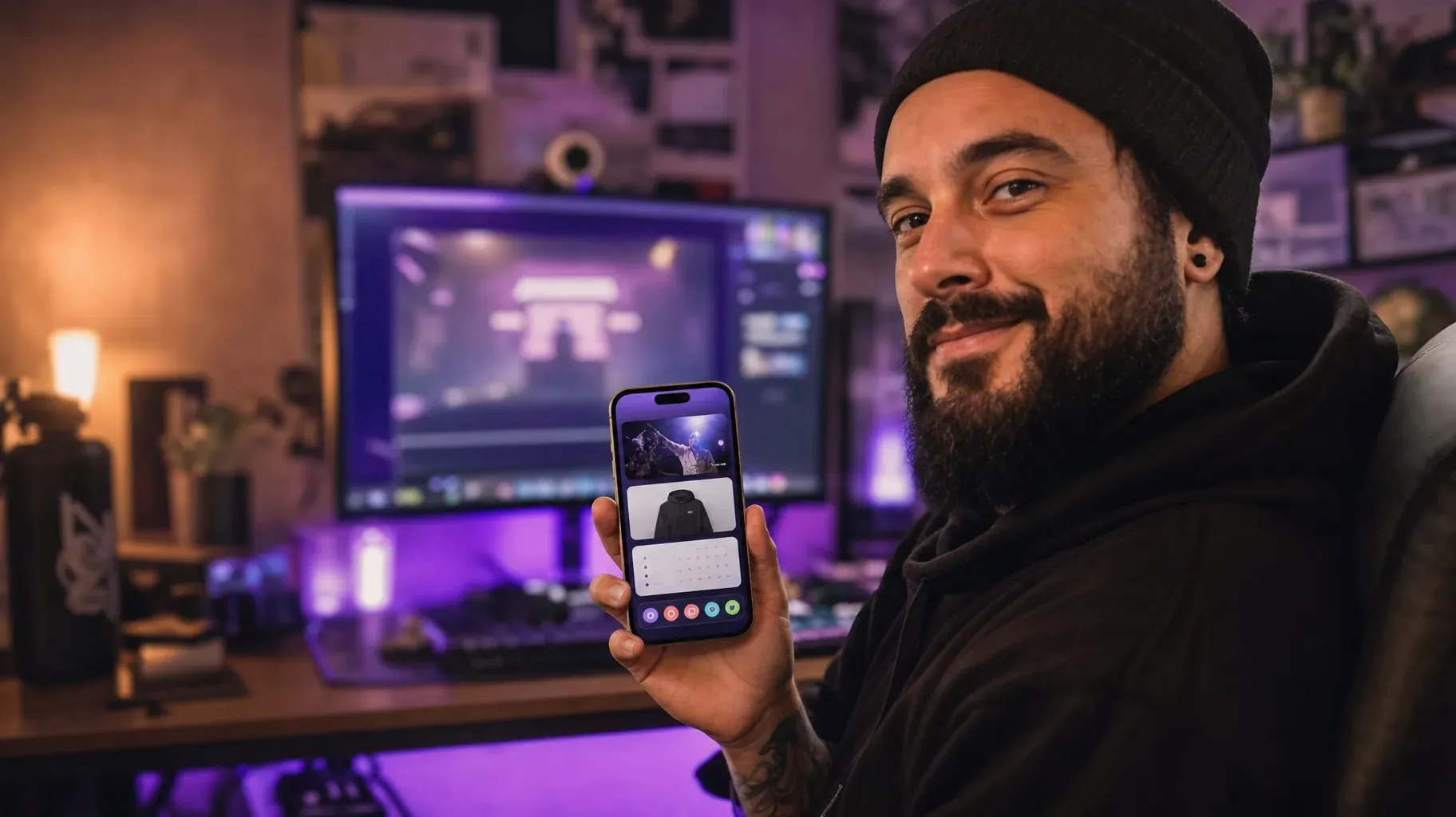
A single page that brings all of this together, linked from your Twitch panels and social bios, makes it easy for fans to support you in more than one way.
Examples of streamers at each stage
A new variety streamer streams four evenings a week, reaches 25 followers in her first month, and accepts her Affiliate invite once her average hits 3 viewers. Her first emotes are based on jokes from her chat.
A growing Affiliate in a mid-sized game category builds a Discord, posts daily Shorts, and joins the Plus Program after three months of steady subscriptions.
A soon-to-be Partner averages 80 viewers for two months, keeps a fixed schedule, and applies with a clear description of his community events and growth on YouTube.
Set up your channel for monetization
Whatever your level, a well-prepared channel makes it easier for viewers to subscribe, cheer, and support you.
Write clear panels. Under your stream, add panels for your schedule, rules, social links, gear, sponsors, and ways to support you. Keep them short and consistent in design.
Design emotes your community will use. Great emotes are simple, readable at small sizes, and based on your channel's inside jokes. Viewers subscribe partly to use them in other chats.
Create meaningful subscriber perks. Sub-only emotes, badges that evolve over time, sub nights, Discord roles, and exclusive giveaways make subscriptions feel worth it.
Set up Channel Points rewards. Let viewers spend points to pick a song, choose the next game, or trigger a sound. It builds engagement even for viewers who cannot pay.
Plan your ads. Run ad breaks at natural moments, such as between games or during short pauses, and tell your chat before they start. Viewers accept ads more easily when they are expected.
Add a clear call to action. A short line on your overlay or in your panels pointing to your link in bio helps viewers find your merch, socials, and other ways to support you.
A 90-day plan to grow from Affiliate toward Partner
Days 1 to 30: build consistency. Set a schedule you can keep, stream on the same days each week, and clip your best moments. Post two or three short videos a week on TikTok, YouTube Shorts, or Instagram Reels.
Days 31 to 60: build community. Launch a Discord server, start regular community events, and raid or collaborate with streamers of a similar size. Refine your panels, emotes, and subscriber perks.
Days 61 to 90: build momentum. Review your analytics to see which days, games, and formats bring the most viewers, and double down on them. Reach out to a few brands that fit your audience, and set up income outside Twitch through merch, affiliate links, or a digital product.
Repeat the cycle, adjusting based on what your numbers tell you. Steady progress over several months matters more than a single viral stream.
Mistakes to avoid
Using view bots or follow-for-follow schemes. Artificial numbers break Twitch's rules, get applications rejected, and can lead to suspensions.
Chasing Partner too early. Focus on building a real community first. The numbers follow.
Streaming without a schedule. Irregular streams make it hard for viewers to come back.
Ignoring your chat. A silent streamer loses viewers quickly.
Depending only on Twitch. Platform rules and payouts change. Build an audience and income you control.
Forgetting your tax and payout setup. Missing information can delay your payments.
Frequently asked questions
What is the difference between Twitch Affiliate and Partner?
Affiliate is the first level of monetization for growing channels, while Partner is a higher tier for established channels with a large, consistent audience. Partners get extra perks such as the verified checkmark, more emote slots, longer VOD storage, priority transcoding, and priority support.
How many viewers do you need for Twitch Partner?
To complete Path to Partner, you need an average of 75 concurrent viewers, along with 25 hours streamed on at least 12 different days within 30 days. Twitch still reviews each application.
Do Twitch Partners earn more than Affiliates?
Not automatically. Both earn from subscriptions, Bits, and ads, and both can improve their revenue split through the Plus Program. Partners often earn more because they have larger audiences and more tools, not because of a different base rate.
How long does it take to become a Twitch Affiliate?
It depends on your audience. Some streamers reach Affiliate within a few weeks of consistent streaming, while others take several months. The average viewer requirement is usually the last one to be met.
Can you lose Twitch Partner or Affiliate status?
Yes. Breaking Twitch's rules or agreements can lead to losing your status. Long periods of inactivity can also affect your account.
Is it worth becoming a Twitch Partner?
For streamers who want to build a long-term career on Twitch, yes. The verified status, extra tools, and support make a real difference. But many successful streamers stay Affiliates for years while earning well through sponsorships and other income.
Can Affiliates get the 70/30 split?
Yes, through the Plus Program, which is open to both Affiliates and Partners. Channels that keep enough recurring subscriptions for three consecutive months unlock an improved revenue share. Check the exact thresholds in your Creator Dashboard.
Build a streaming career that lasts
Affiliate and Partner are both milestones worth celebrating, but they are steps on a longer journey. Reach Affiliate by streaming consistently and engaging your community, grow your average viewers through collaboration and promotion, and apply for Partner when your audience is ready. At every stage, build income and audience beyond Twitch so your career does not depend on a single platform.
Give your viewers one place to find everything. A Roctify page can hold your Twitch channel, your schedule, social links, merch, digital products, and sponsor offers, with 0% transaction fees on every plan. Create your Roctify page and add it to your Twitch panels and social bios today.