A free online portfolio website is one of the most valuable things a creative professional can build. It is the place where clients, recruiters, and collaborators decide whether you are the right person for the job, often in less than a minute. And you no longer need a budget, a developer, or design software to create one. Several tools let you publish a professional portfolio for free, on a link you can share everywhere.
The challenge is doing it well. A free portfolio can look polished and win work, or it can look like an unfinished side project. The difference comes down to choosing the right kind of tool, showing the right work in the right order, and presenting each project so that visitors understand what you did and why it mattered.
This guide walks you through everything: what a portfolio website needs, the types of free builders and their trade-offs, how to create your portfolio step by step, how to present your projects, how to get found on Google, and how to share your portfolio so it actually brings you opportunities.
What is a free online portfolio website?
A portfolio website is a site that showcases your best work, explains what you do, and makes it easy for people to contact or hire you. A free online portfolio website is simply one you can build and publish without paying, usually on a free subdomain provided by the builder, such as yourname.builder-name.com.
Portfolios are not only for designers and photographers. Writers, developers, marketers, architects, illustrators, video editors, UX researchers, coaches, and students all use them. Anyone whose work can be shown, described, or measured benefits from a place to present it.
A good portfolio website does three jobs:
- Proves your skills. It shows real examples of your work, not just claims on a résumé.
- Explains your value. It tells visitors what you do, who you do it for, and what results you bring.
- Makes the next step easy. It gives people a clear way to contact you, book a call, or hire you.
What should a portfolio website include?
Whatever your field, a strong portfolio includes these elements.
- A clear introduction. Your name, what you do, and who you do it for, in one or two sentences at the top of the page. "Brand designer helping food startups stand out on the shelf" is far more useful than "Creative soul."
- Your best projects. Usually six to twelve pieces. Quality matters more than quantity.
- Project details. For key projects, a short explanation of the brief, your role, the process, and the result.
- An about section. A short, human bio with a professional photo, your background, and what you care about in your work.
- Services or skills. What people can hire you for, with starting prices or packages if you are a freelancer.
- Social proof. Testimonials, client logos, awards, press mentions, or measurable results.
- Contact options. An email address, a contact form, a booking link, and your most relevant social profiles.
- Optional extras. A résumé download, a blog, a newsletter signup, or a shop for prints and digital products.
If you are just starting out and have few client projects, include personal projects, redesigns of existing brands, course work, or volunteer work. Label them honestly. What matters is showing how you think and what you can do.
Types of free portfolio builders
Free portfolio tools fall into a few broad categories. Each one suits different people.
Drag-and-drop website builders. They offer templates and visual editors for building multi-page sites. They are flexible and beginner-friendly, but free plans usually display the builder's branding, use a subdomain, and limit storage or features.
One-page builders. They focus on a single scrolling page. They are fast to set up and easy to maintain, ideal for a compact portfolio with a handful of projects and a contact section.
Link-in-bio and creator page tools. They create a mobile-first page that combines your portfolio highlights, links, contact buttons, and sometimes products or bookings. They work well for creators and freelancers who share their portfolio mostly from social media and want one link for everything.
Design-tool websites. Some design apps let you publish your designs as simple websites. They are handy if you already design in those tools, but may be less suited to structured, multi-project portfolios.
Portfolio communities. Platforms built for creatives let you upload projects and be discovered by other members and recruiters. They are great for visibility, but your page follows the platform's layout, and the audience belongs to the platform.
Static site hosting for developers. Developers can host a portfolio for free from a code repository. It offers total control, but requires coding skills.
How to choose: Designers and photographers usually want strong visual control. Developers may prefer code. Freelancers and creators who share mostly on social media often benefit most from a mobile-first page that combines work, links, and contact options. Whatever you choose, check the free plan's limits before you invest time.
What to check in a free plan
Before committing to a builder, compare these points.
- Branding. Does the free plan show the builder's logo or banner on your site?
- Domain. Do you get a readable subdomain? Can you connect your own domain for free or only on a paid plan?
- Pages and storage. How many pages, projects, and images can you publish?
- Mobile design. Does your portfolio look good on phones without extra work?
- Speed. Do pages load quickly, even with many images?
- Contact tools. Can you add a contact form, booking link, or email button?
- SEO settings. Can you edit page titles, descriptions, and image alt text?
- Analytics. Can you see how many people visit and what they click?
- Export and ownership. Can you move your content elsewhere if you change tools?
A free plan that ticks most of these boxes is enough for many professionals for a long time. When your portfolio starts bringing regular work, upgrading for a custom domain and no branding is often worth it.

1. Define your goal and audience
Before you pick a template, decide what your portfolio should achieve and for whom.
Who is visiting? Hiring managers want to quickly see relevant skills and experience. Clients want to know if you can solve their problem, how you work, and what it costs. Collaborators want to see your style and range.
What should they do next? Apply to hire you, book a discovery call, request a quote, or download your résumé. This action becomes the main button on your portfolio.
What kind of work do you want more of? Your portfolio attracts the work you show. If you want more branding projects, feature branding, even if most of your past work was social media graphics.
Write one sentence that summarizes your positioning, such as "I design websites for independent restaurants." Use it as your headline and let it guide every choice that follows.
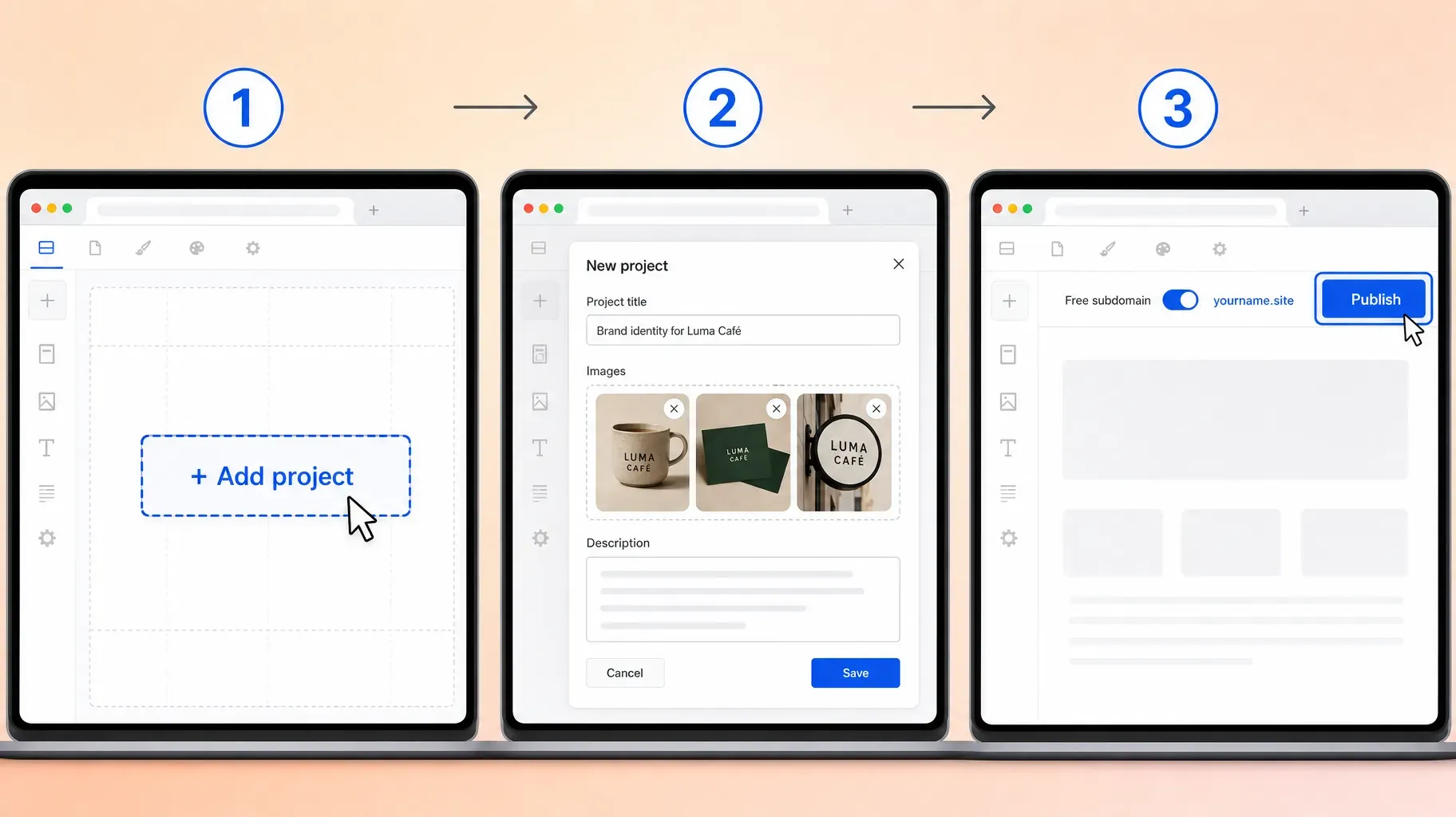
2. Choose your free builder
Using the categories and checklist above, pick a tool that fits your skills and goals. A few practical tips:
- Try before you commit. Most builders let you start for free. Build a quick draft with two projects to see if the editor feels comfortable.
- Look at real examples. Check portfolios built with the tool on a phone, not just the template gallery.
- Think about maintenance. You will update your portfolio regularly. Choose a tool that makes adding a project quick.
- Plan for growth. If you might want a custom domain or online sales later, make sure the tool offers them.
3. Select and organize your best work
This is the most important step. Your portfolio is judged by its weakest project, so be selective.
- Gather everything. Collect your projects in one folder, including images, links, and notes about each one.
- Pick six to twelve pieces. Choose work that is strong, recent, and relevant to the jobs you want.
- Lead with your best. Put your two strongest projects first. Many visitors never scroll past them.
- Group by category if needed. If you offer several services, such as branding, packaging, and illustration, organize projects into clear categories.
- Remove outdated work. Old projects in a style you no longer offer confuse visitors.
Quality beats quantity every time. A portfolio with eight excellent projects is more convincing than one with thirty average ones.
4. Present each project as a mini case study
A gallery of images shows what you made. A case study shows how you think, which is what clients and employers really pay for.
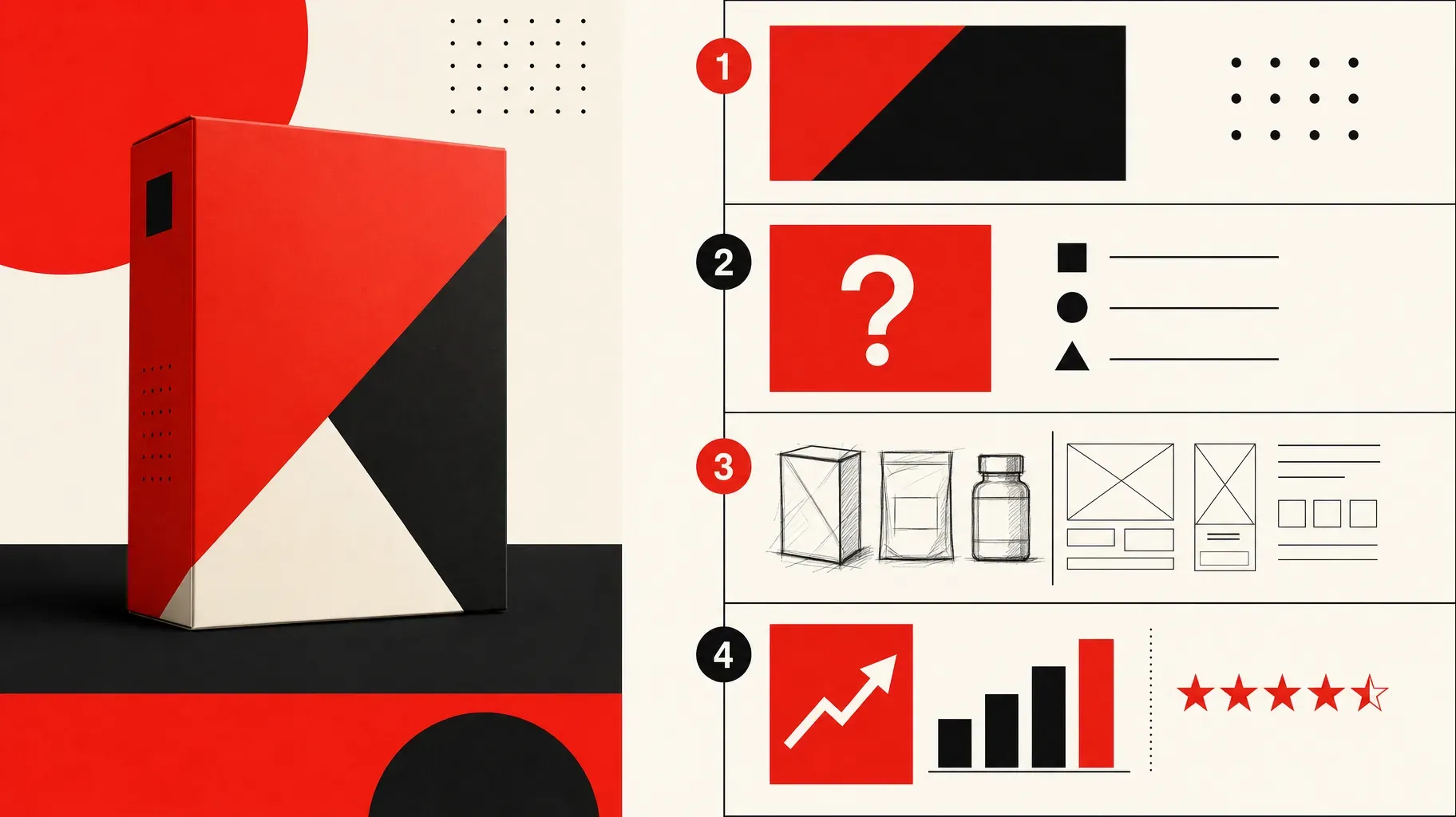
For your two to four most important projects, use a simple structure:
- The challenge. What was the client's problem or goal? Who was the audience?
- Your role. What exactly did you do? Were you part of a team?
- The process. How did you approach it? Show sketches, drafts, research, or iterations.
- The result. What was delivered, and what changed? Use numbers when you can, such as increased sign-ups, sales, or engagement, and include client feedback.
Keep the writing short and scannable, with images doing most of the work. For smaller projects, a title, a few images, and one or two sentences of context are enough.
Show your work well. Use high-quality images, consistent sizes, and mockups when they help. For writing or code, link to live examples or show short excerpts.
5. Design your portfolio for clarity
Your work should be the star, and the design should support it.
- Keep the layout simple. Plenty of white space, a clean grid, and consistent spacing.
- Limit fonts and colors. One or two fonts and a small color palette look more professional.
- Make navigation obvious. Work, About, and Contact are often all you need.
- Design for phones first. Many visitors will open your portfolio from a link on their phone. Check every page on a small screen.
- Optimize images. Compress large files so pages load quickly without losing quality.
- Put your contact button everywhere. In the header, at the end of each project, and on the about page.
Test your portfolio on a phone and a laptop, then ask a friend to find a specific project and your contact details. If they hesitate, simplify.

6. Get found on Google
A portfolio that nobody finds cannot bring you work. A few simple steps help search engines understand and show your site.
Write clear page titles and descriptions. Include your name and what you do, such as "Maya Laurent, Brand Designer in Lyon." Most builders let you edit these in the page settings.
Use descriptive project titles. "Packaging design for an organic tea brand" is better for search than "Project 03."
Add alt text to images. Describe what each image shows. It helps accessibility and image search.
Write a little text. Search engines read words, not images. Short project descriptions and an about section give them something to understand.
Connect a custom domain when you can. A domain with your name looks more professional and is easier to remember. Many builders require a paid plan for this, but even a free subdomain can rank for your name.
Link to your portfolio from everywhere. Your social profiles, email signature, directory listings, and guest articles all help people and search engines discover it.
Keep it updated. Adding new projects regularly signals that your portfolio is active.

7. Share your portfolio and keep it working for you
Once it is live, put your portfolio in front of the right people.
- Social media bios. Add your portfolio link to Instagram, LinkedIn, TikTok, X, and Behance or Dribbble profiles.
- Email signature. A short "View my portfolio" link under your name.
- Job applications and proposals. Link directly to the most relevant project or category, not just the home page.
- Résumé and business cards. Add the link and a QR code.
- Networking. Keep the link handy on your phone to share in conversations and messages.
Update it regularly. Add new projects as soon as they are finished, replace weaker pieces, and refresh your about section and services every few months.
Track what works. If your tool offers analytics, see which projects get the most views and which pages lead to contact requests. Feature those projects more prominently.
Write an about page that builds trust
Visitors who like your work often read your about page next. It is where they decide whether they want to work with you as a person.
Start with what you do for others. Open with a sentence about who you help and how, before your background.
Add a real photo. A friendly, professional portrait makes you approachable and memorable.
Share your story briefly. A few sentences about your path, your specialties, and what you enjoy about your work are enough.
Show how you work. Explain your process in three or four steps, such as discovery, concept, refinement, and delivery. Clients like knowing what to expect.
Add credibility. Mention notable clients, years of experience, certifications, or awards, and include one or two testimonials.
End with a call to action. Invite visitors to get in touch or book a call, with a button right there.
A 7-day plan to launch your free portfolio
- Day 1: write your positioning sentence and list the projects you could include.
- Day 2: choose your builder and pick a simple template.
- Day 3: select six to twelve projects and prepare the images.
- Day 4: write short descriptions and two or three case studies.
- Day 5: write your about page, services, and contact section.
- Day 6: optimize titles, descriptions, and image alt text, then test on your phone.
- Day 7: publish, add the link to your profiles, and send it to a few people for feedback.
A week of focused work is enough to go from nothing to a portfolio you are proud to share.
Portfolio tips by profession
Designers. Show process, not just final visuals. Include sketches, wireframes, and the reasoning behind choices.
Photographers. Curate tightly by theme or client type, such as weddings, portraits, or products. Show consistent editing and include pricing or packages if you work with private clients.
Writers. Link to published pieces, show short excerpts, and group work by topic or format. Mention results such as traffic or conversions for marketing writing.
Developers. Link to live projects and code repositories. Explain the problem each project solves and the technologies used.
Marketers. Present campaigns as case studies with clear metrics, and explain your strategy as well as the outcome.
Students and career changers. Use personal projects, course work, and redesign exercises. Explain what you learned and how you would approach a real client brief.
Mistakes to avoid
Showing too much. Thirty projects of mixed quality weaken your best work. Curate ruthlessly.
No context. A grid of images without explanation leaves visitors guessing about your role and impact.
Hiding the contact information. If people have to search for a way to reach you, many will not bother.
Ignoring mobile. A portfolio that breaks on a phone loses opportunities, especially when shared on social media.
Slow pages. Huge uncompressed images make visitors leave before they see your work.
Letting it go stale. A portfolio last updated years ago suggests you are not active. Refresh it regularly.
Using a confusing link. A long, random subdomain is hard to remember. Choose a clean name based on your own name or brand.
Frequently asked questions
What is the best free online portfolio website builder?
The best one depends on your work and skills. Visual creatives often prefer drag-and-drop builders with strong templates, developers may prefer code-based hosting, and creators who share mainly on social media often do best with a mobile-first page that combines portfolio highlights, links, and contact buttons.
Can I really create a portfolio website for free?
Yes. Many builders offer free plans that let you publish a portfolio on a free subdomain. Paid plans usually add a custom domain, remove the builder's branding, and unlock more features.
How many projects should a portfolio include?
Six to twelve strong projects is a good range for most people, whatever your field. Lead with your two best pieces and remove anything that does not represent the work you want to do.
Do I need a custom domain?
Not to start. A free subdomain is fine for your first portfolio. A custom domain with your name looks more professional and is worth adding once your portfolio brings regular work.
What if I do not have client work yet?
Use personal projects, redesigns of existing brands, course projects, or volunteer work. Label them clearly and show your thinking process.
Can a link-in-bio page work as a portfolio?
Yes, especially for creators and freelancers who share mainly on social media. A well-designed page with project highlights, services, testimonials, and contact buttons can work as a compact portfolio and a single link for everything.
How often should I update my portfolio?
Add new projects as soon as they are finished, and review the whole portfolio every few months to remove weaker or outdated work and refresh your services.
Start showing your best work today
A free online portfolio website gives your work a home, proves your skills, and makes it easy for the right people to hire you. Define your goal, choose a builder that fits, curate your strongest projects, explain them clearly, and share your link everywhere you meet potential clients and employers.
If you want a portfolio that also works as your link in bio, try Roctify. A free Roctify page lets you showcase your projects, services, testimonials, and contact or booking buttons on one mobile-first page, with a single link you can add to every profile. Create your free Roctify page and publish your portfolio today.